Meeting room display: how to find the right solution for your meeting rooms



| Full calendars, empty rooms: in many offices, meeting rooms sit occupied less than 40 percent of the time on average, yet no one can find a free room on short notice. A meeting room display solves this problem right at the door. It shows in real time whether a room is free or occupied and lets employees book it on the spot. This guide explains which functions a meeting room display offers, whether a booking tablet works as an alternative, and what to look for when choosing a solution. |
What is a meeting room display?
Core functions of a meeting room display in daily office life
-
-
- Occupancy status at a glance:
Whether a room is free or occupied is visible from outside the meeting room, without opening the door and interrupting an ongoing meeting. - Ad hoc booking on the spot:
Room is free? Press “book,” choose the duration, done. Instant booking makes free capacity usable for spontaneous meetings right away. - Releasing a room:
If a meeting ends early, participants release the room directly at the meeting room booking screen, which increases the utilization of meeting rooms. - Daily and weekly view:
Upcoming bookings are visible directly at the room, including the organizer and the time slot. - Information that stays current:
The room booking display reliably shows current and upcoming meetings at all times, with everything synchronized automatically and updated in real time. - Automatic synchronization:
Bookings made in the calendar appear immediately on the room booking display, and bookings made at the display update the calendar right away.
- Occupancy status at a glance:
-
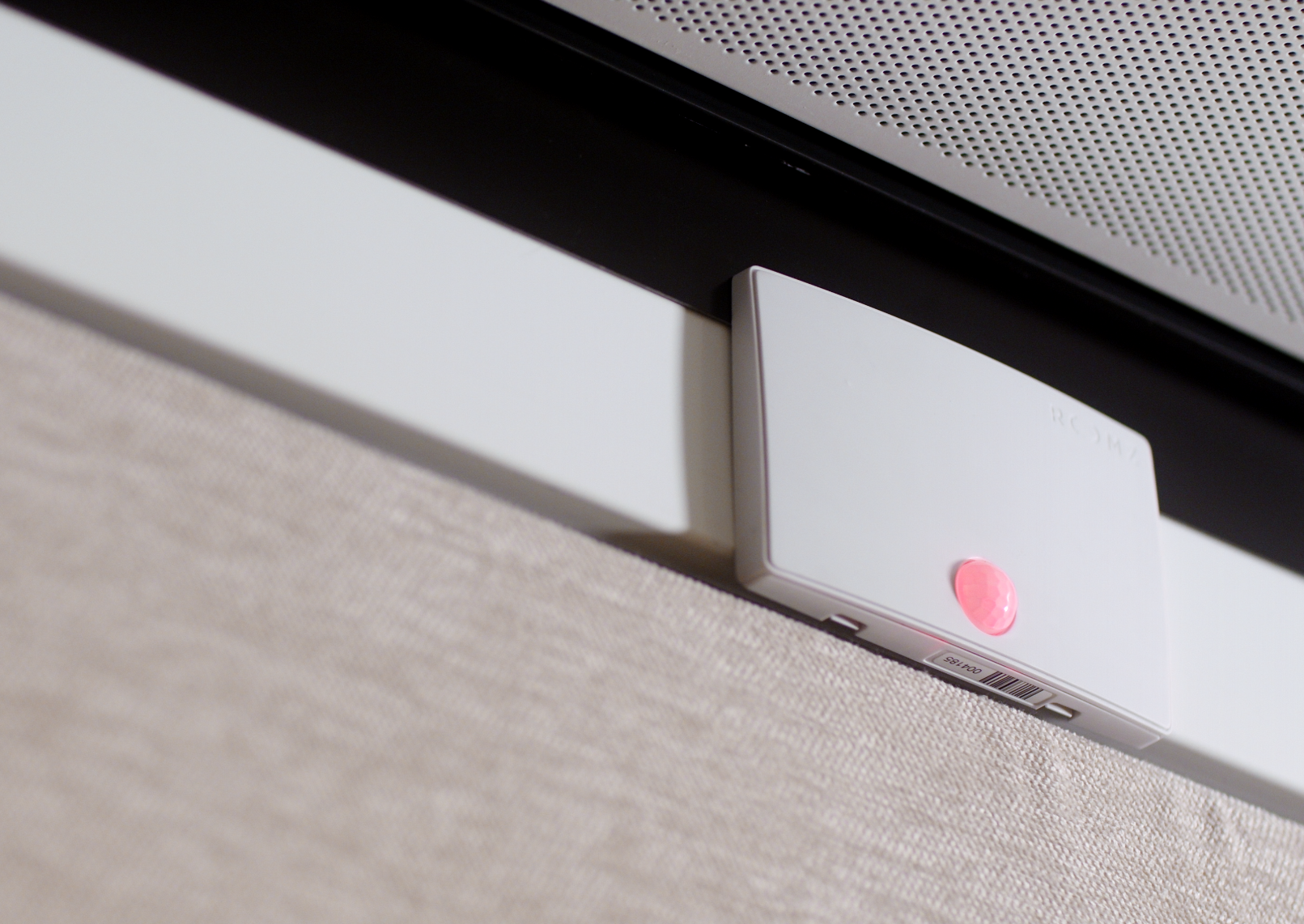
The ROOMZ Occupancy Sensor measures actual room usage in real time and automatically releases unused reservations. |
|
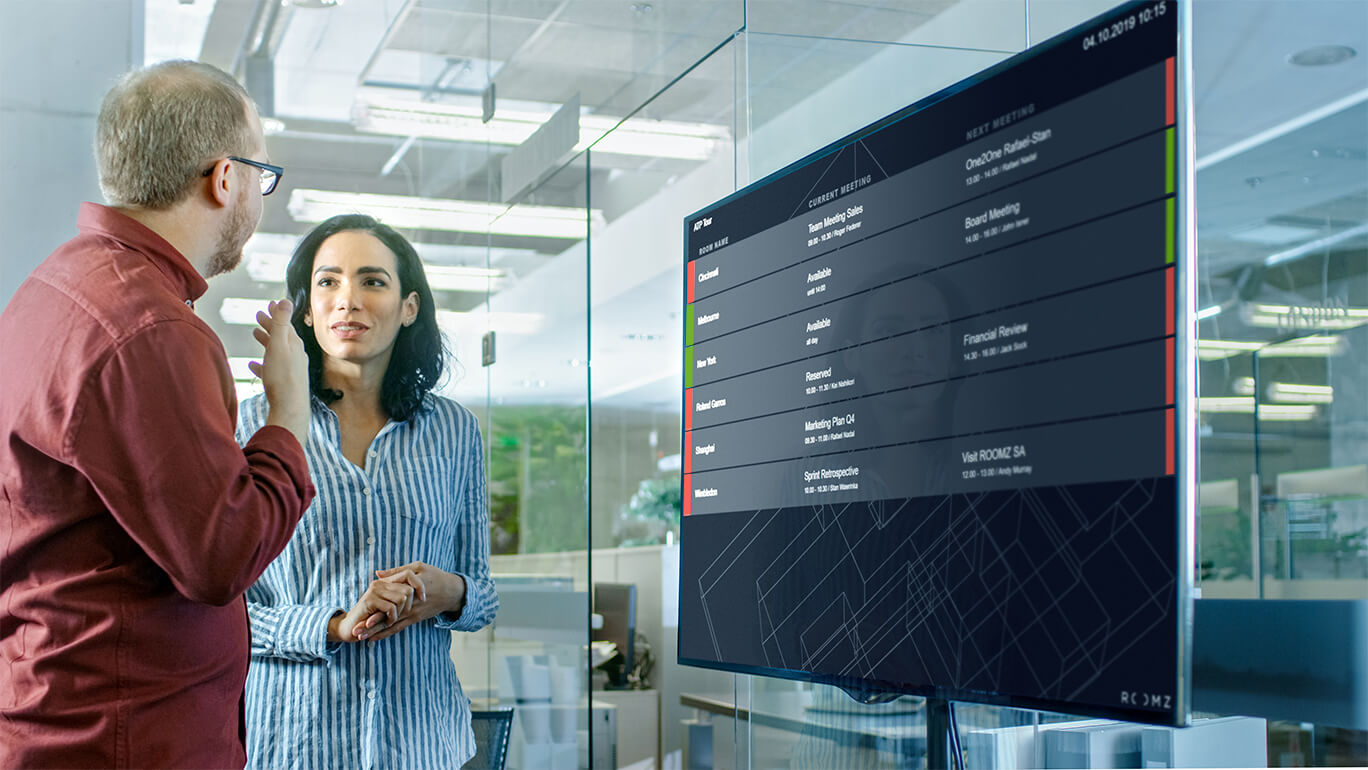
With the ROOMZ Flightboard, you keep track of room usage across all your meeting rooms in real time. |
Benefits for employees, management, and facility management
-
-
-
- For employees:
The daily friction disappears: no guessing in front of closed doors, no interrupting meetings already underway, no detour through the calendar at their desk. Anyone who needs a room sees its availability directly on the meeting room panel and books it in two taps. - For management:
Adoption matters just as much as productivity. A system nobody needs explained is a system people actually use. Wireless solutions also cut installation costs significantly, since no power or network cables need to be run. At the same time, they offer maximum flexibility for future change: start with a single meeting room display and expand the solution at your own pace. When offices are redesigned, departments relocated, or entire sites moved, the displays can be repositioned within minutes and adapted to the new environment.. - For facility management:
The leverage is greatest of all. Office space is the second-largest cost block in a company after salaries. At the same time, a study by workplace analyst Leesman shows that on Fridays only 21 percent of employees still come into the office, and that many companies could reduce their footprint by up to 40 percent without hurting productivity. Meeting room displays, together with occupancy sensors, provide the data to make such decisions based on actual usage rather than gut feeling, for example by closing entire floors on certain weekdays or consolidating teams and departments onto fewer floors.
- For employees:
-
-
Conference room display: e-ink© or LCD, which technology is right for you?
How quickly can a display for meeting rooms be installed?
How is the display powered?
How much energy does the display consume during operation?
From which angles does the display need to stay readable?
How easily can the solution scale to more rooms?
How much maintenance does ongoing operation require?
What security requirements does the display meet?
For a closer look
|
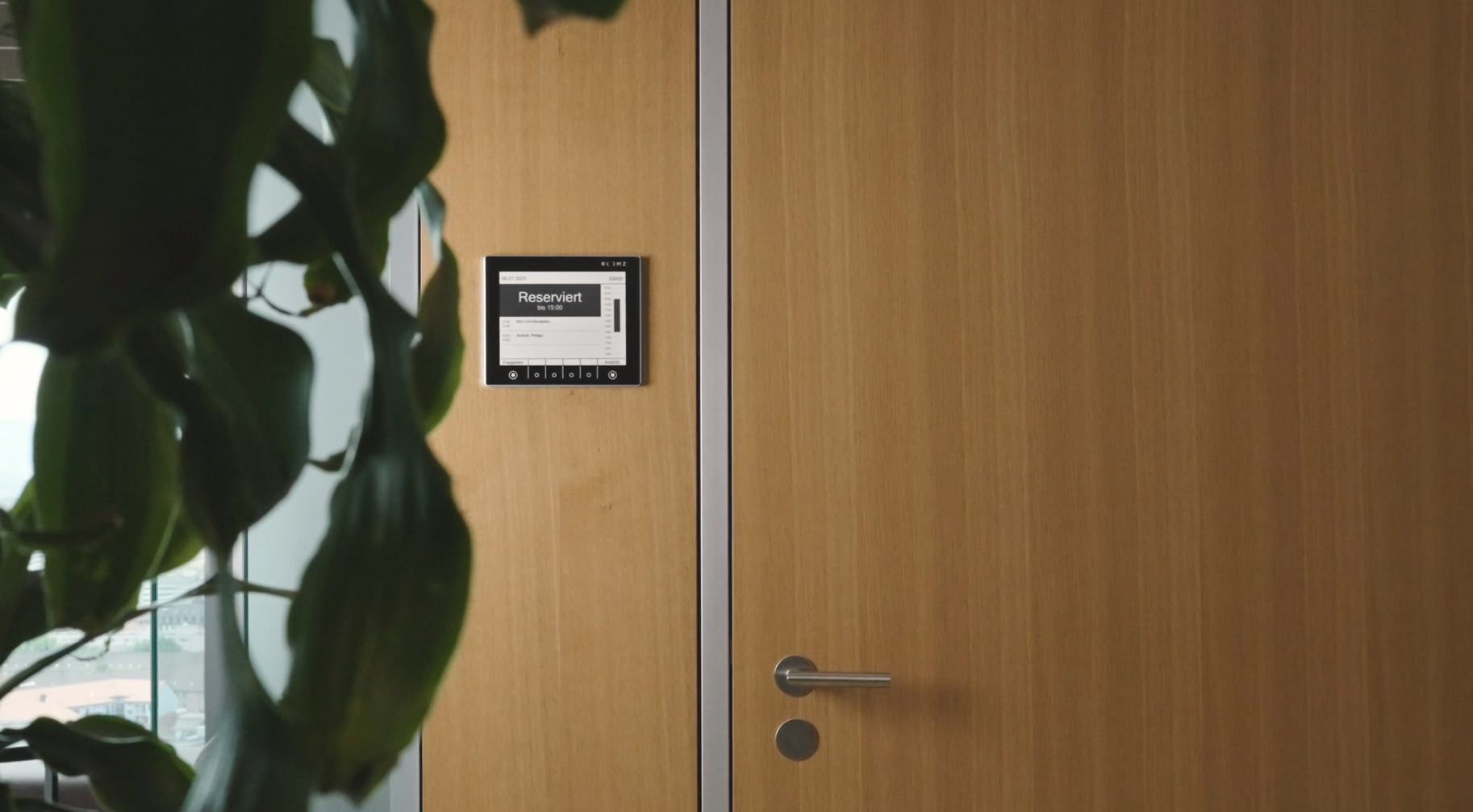
The sustainable ROOMZ Meeting Room Display with e-ink© technology is mounted wirelessly and displays room occupancy for up to four years without a single charge. |
Booking tablet or dedicated display: what suits room booking best?
-
-
- Constant power required:
tablet batteries are not built for 24/7 continuous operation. In practice, that means a charging cable or an electrical installation at every door. - Operating system upkeep
iOS and Android devices need updates, app management, and usually mobile device management (MDM). - Theft and tamper protection:
a freely accessible tablet needs lockable mounts and a kiosk mode. - Readability and looks:
glossy LCD surfaces reflect light, show fingerprints, and stay lit at all times.
- Constant power required:
-
Integration: Microsoft Teams, Outlook, Google, and more.
What to look for when choosing a meeting room display
- Installation:
Whow easily can cabling be run in your own building, are the necessary resources available in house, and is a structural permit even possible? These questions often decide in advance whether a wired LCD solution or a wireless e-ink© solution is the right fit. - Scalability:
it is worth looking ahead. What happens with a growing number of meeting rooms, or a move? A wired solution means new cabling work with every expansion, while a wireless solution can grow flexibly alongside the company. - Required security level:
is the data tied to resources such as rooms, employees, or meetings sensitive? If so, a solution without an operating system is recommended. Also look for encrypted transmission (HTTPS/TLS), a data-light display, and a provider certified to ISO 27001. Processing personal booking data must comply with GDPR requirements. The ROOMZ Display stores no information locally and runs no operating system, which meaningfully reduces the attack surface. - Integration with existing tools:
can the solution connect to collaboration tools already in use, such as Microsoft 365, Google Workspace, Microsoft Teams, or Exchange? Smooth integration is decisive for an easy rollout and strong adoption of the solution across the company. - Employee adoption:
intuitive operation and real-time availability, including mobile access, largely determine whether a solution actually gets adopted in daily work. - Analysis of workspace usage:
companies that want to understand the actual usage of their office space, in order to build a sound space strategy, should choose a solution with workspace analytics. Data on room usage, peak times, no-show rates, and the most popular room types delivers valuable insight. A display alone only solves the problem at the door. Its full benefit only appears once it is combined with sensors and reporting: Advanced Analytics shows how rooms are actually used, the foundation for sound space decisions.
Real-world examples: UNESCO, ABB, and Lonza
Frequently asked questions about meeting room displays
What does a meeting room display cost? Total cost is made up of hardware, software license, installation, and ongoing operation. Wireless e-ink© displays save on the cost of cabling, PoE infrastructure, and constant power. So do not compare the unit price alone, compare the total cost of ownership over the product’s lifespan, more than 10 years for e-ink© displays such as ROOMZ.
|
Is a booking tablet an alternative to a dedicated room display? For pilot projects with just a few rooms, a room booking tablet can be enough. At larger scale, constant power needs, operating system updates, theft protection, and maintenance effort all favor a dedicated meeting room display, especially wireless e-ink© devices that run without an operating system.
|
Wow long does the battery of a wireless room display last? On a single charge, under average use, the ROOMZ Display reaches a runtime of around four years, since the e-ink© display only draws power when the image changes. |
Does a meeting room display work with Microsoft Teams? Yes. ROOMZ is compatible with Microsoft Teams and synchronizes with Microsoft 365, Exchange, Google Workspace, and more than 20 other booking systems. Bookings made in Outlook or Teams appear automatically on the display.
|
How does a meeting room display prevent ghost meetings? Combined with a room occupancy sensor, the system detects whether a booked room is actually being used. If no one shows up, it releases the room automatically, with no manual check-in required.
|
Is displaying booking data on the screen GDPR compliant? Yes, provided the solution is data-light by design. The ROOMZ Display stores no information locally, transmission is encrypted via HTTPS/TLS, and ROOMZ is certified to ISO 27001 and fully GDPR compliant.
|
Can a room display be mounted on glass? Yes. Wireless displays can be mounted on glass, wood, or masonry without drilling and without running cables, even in listed buildings or leased spaces.
|
Conclusion: the right meeting room display makes your rooms more productive
|
ROOMZ Experience Box
Experience ROOMZ in your workplaceInstall your first ROOMZ Display in less than an hour, with no cabling required. Discover how easy it is to deploy and manage a modern room booking display solution. |
| Author & Technical review |
|---|

Nadia ObeidaAuthor Creates and curates ROOMZ content focused on room booking, workplace experience, and digital workplace solutions. Nadia Obeida is Marketing Manager at ROOMZ. For this guide, she translated the needs of IT, Facility Management, and Office Management teams into a practical decision-making resource. She was also responsible for the article’s SEO/GEO strategy and editorial structure. |

Roger MeierCo-author & technical reviewer Contributes product expertise and real-world experience gained from ROOMZ customer projects. Roger Meier is the Founder and CEO of ROOMZ SA. He reviewed this guide from a technical perspective, ensuring the accuracy of its content on technology, integrations, scalability, and real-world deployment. |