
FAQ
Frequently asked questions about workplace management, flex office and New Ways of Working.
Meeting room management
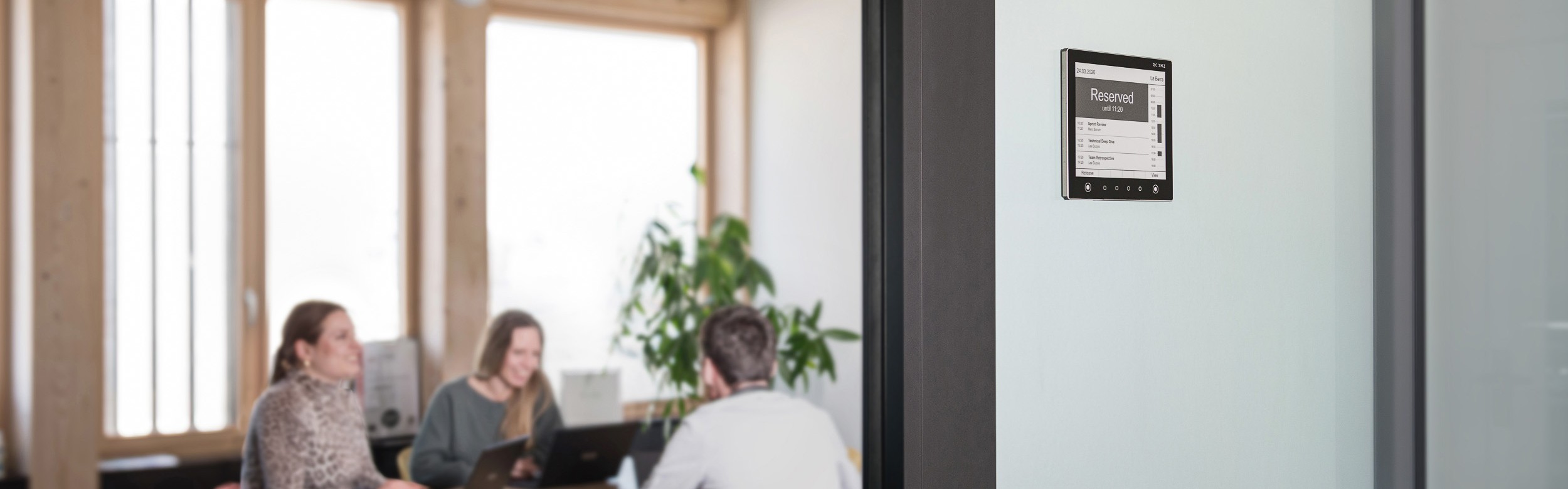
A meeting room booking management system is a digital platform that allows organisations to schedule, manage, and monitor the use of shared meeting spaces.
Instead of relying on spreadsheets, emails, or paper diaries, everything is handled in one central system. In practice, solutions like ROOMZ enable teams to have real-time visibility of room availability, reduce conflict bookings, and ensure meeting spaces are used efficiently.
ROOMZ is a wireless booking system that combines room booking displays, occupancy sensors, and workplace analytics tools to optimise meeting room utilisation and improve the employee experience.
Real-time scheduling keeps meeting room availability constantly updated across all devices and workplace tools. As soon as a room is booked, released, or modified, the information becomes instantly visible to employees.
This helps organisations improve meeting room efficiency by:
- Reducing scheduling conflicts
- Helping teams to find available rooms faster (Flightboard)
- Allowing instant room booking
- Simplifying last-minute meeting room changes
- Improving collaboration between employees
- Increasing overall workspace utilisation
The most effective way to assess meeting room capacity is to analyse actual workplace usage data rather than relying only on employee impressions or booking habits.
Comparing reservation data with real occupancy levels is particularly valuable. In many offices, meeting rooms appear fully booked throughout the day, while occupancy sensors reveal that some spaces remain partially used or completely empty for long periods.
Meeting room analytics help organisations understand how employees actually use workplace spaces on a daily basis. By collecting real-time occupancy and booking data, companies can identify inefficiencies and make more informed workplace decisions.
Analytics can help businesses:
- Identify peak demand periods (days or hours)
- Detect no-shows (ghost meetings) and cancellation
- Measure room utilisation over time
- Understand which spaces are underused and why
- Optimise workplace layouts and room distribution
- Improve the employee meeting experience
These insights support long-term workplace planning and help organisations adapt their office environment to reel employees needs.
Modern workplace management technology helps organisations improve how meeting spaces are used throughout the day.
Common tools include:
- Meeting room scheduling displays
- Room and huddle occupancy sensors
- Interactive live map to provide overview of all workspace availability
- Desk booking software
- Workplace analytics dashboards
These technologies help businesses monitor occupancy in real time, reduce no-shows, automatically release unused rooms, and optimise overall workspace utilisation.
Many organisations improve meeting room utilisation by encouraging employees to select spaces that match actual attendance needs.
A practical approach includes:
- Offering non bookable meeting spaces such a s phone booth or Huddles for shorts and ad hoc meeting
- Increasing visibility of all available rooms through live floor plans and interactive office maps florrplan to nevourage employees to go in a space that fits their
- Using tags and filters in the meeting room booking system based on room size, capacity, and available equipment
- Providing smaller meeting rooms with the same key amenities as larger spaces
This approach helps prevent large conference rooms from being occupied by small groups while improving overall workspace efficiency.
Poor meeting room management often creates unnecessary friction in the workplace and reduces overall productivity.
Common issues include:
- Large meeting rooms being booked for small groups
- Employees choosing familiar rooms instead of appropriately sized spaces
- Recurring meetings blocking rooms even when no one attends
- Limited access to essential equipment in certain rooms only
- Booking processes that require manager approval
- Hybrid meetings reserving oversized rooms despite few in-office attendees
Without accurate workplace data and flexible booking tools, organisations often struggle to use meeting spaces efficiently.
The ROOMZ Flightboard gives employees a real-time, overview of all meeting room availability, helping them find their next meeting or an available meeting room faster.
By centralizing room status information in corridors or entrance areas, it improves daily collaboration and reduces time lost searching for available rooms.