

Door signs for schools serve a simple but important purpose. They show which lesson is taking place behind a door and help students, teachers, and visitors find their way. However, once timetables, room assignments, or room usage change regularly, traditional signs and printed room schedules quickly reach their limits.
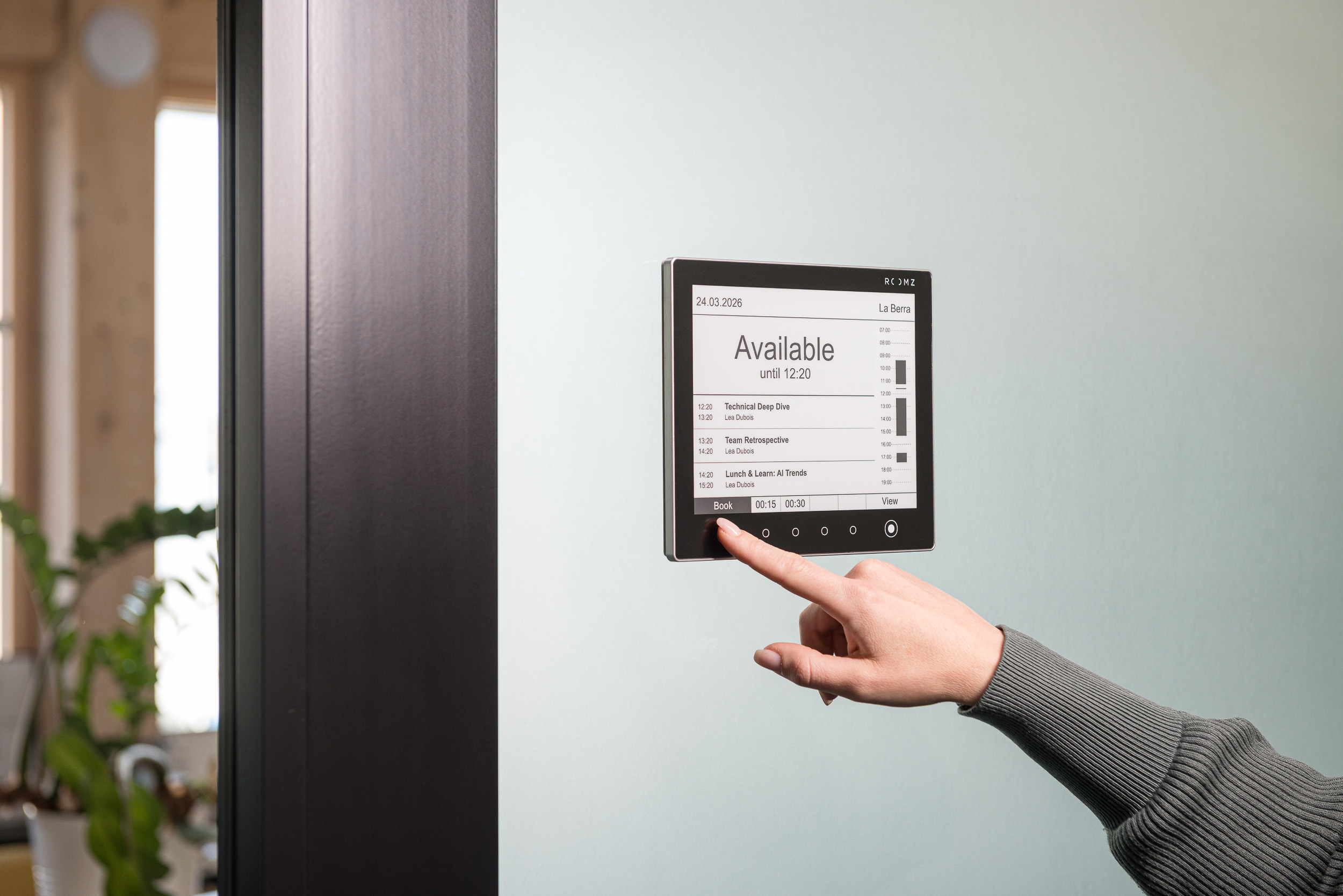
Digital door signs go one step further. They display current timetables, room bookings, and other information directly at the classroom door. They can also update automatically through existing timetabling or room booking software for schools.
This makes room signage for schools part of modern digital room management.
Why digital door signs for schools make sense
Many schools still print their room schedules and timetables and replace them by hand on a regular basis. This works as long as little changes. Last-minute room changes, canceled classes, or new room assignments, however, quickly make printed information outdated.
Digital room signage for schools can update this information automatically.
Schools no longer need to print a new timetable and replace it at every classroom. Changes are made centrally in the relevant system and then appear on the digital door sign.
This offers three main benefits:
- Up-to-date information: timetables and room bookings always stay current.
- Less manual work: printed schedules no longer need to be replaced at every room.
- Better wayfinding: students, teachers, and visitors can see what is happening directly at the room.
ROOMZ digitizes exactly this process with wireless e-ink© displays for classrooms and seminar rooms.
Discover the Education solution⟶
What should door signs for schools offer today?
A modern classroom door sign should do more than display a room number. What matters is which information actually changes in day-to-day school life, and how that information is managed.
Current timetables directly at the classroom
Digital signs for schools can display the current class, the teacher, the next booking, or additional course information.
A daily view shows users at a glance what is currently happening in a room. A weekly view can also provide an overview of upcoming lessons.
This is particularly useful for last-minute changes. If a class moves to another room, the information can be updated centrally. Staff no longer need to relabel doors throughout the building.
Integration with existing school software
Ideally, digital room signage should not become yet another system that needs to be maintained separately.
Integration with existing timetabling systems and room booking tools is therefore essential.
ROOMZ connects with more than 20 timetabling systems, including Untis. The integration is also described in the Untis documentation for the ROOMZ platform application. Room bookings and class information are displayed automatically on the digital door signs, based on existing timetable data.
The existing data source remains in place. The information simply becomes visible where it is needed, directly at the room.
Digital room signage without cabling
Installation is a key factor for schools. Many buildings are older, and construction work can be costly or undesirable.
Wireless digital door signs offer a decisive advantage here.
The ROOMZ Display requires no power or network cables. It can be mounted on a variety of surfaces, including glass, without additional cabling or major construction work.
This simplifies retrofitting existing school buildings. It also allows schools to equip individual buildings or rooms step by step.
Traditional or digital door signs for schools?
The right solution depends on how rooms are used and how often information changes.
| Traditional door sign | Digital door sign |
|---|---|
| Displays static information | Displays dynamic information |
| Manual changes | Automatic updates possible |
| Paper or printed label | Digital display |
| Low purchase cost | Higher initial investment |
| Suited to information that rarely changes | Ideal for changing room assignments |
| No system connection required | Integration with school or booking systems possible |
| Replacement whenever information changes | Central management |
For a room whose use has not changed for years, a traditional door sign may be entirely sufficient.
When rooms are used differently every day, timetables change regularly, or several buildings must be managed centrally, digital door signs offer far more possibilities.
Room signage for schools as part of digital room management
Digital door signs should not be considered in isolation. A complete digital signage solution for schools connects several elements for managing and using learning spaces.
Modern digital room management can connect several layers:
- Timetable or room booking software: this is where classes and room assignments are planned.
- Digital door signs: information is displayed directly at the room.
- Central overviews: a digital Flightboard displays rooms and events in one central location.
- Sensors: occupancy sensors provide additional insight into how learning areas are actually used.
- Analytics: usage data helps plan available space more effectively over the long term, for example with ROOMZ Space Analytics.
A simple door sign thus becomes a building block of digital room management.

The ROOMZ Flightboard gives students and visitors a central overview of rooms and classes. |
More than a digital door sign: ROOMZ for schools
ROOMZ offers a digital signage solution for schools and universities, developed specifically for room signage and room management in education.
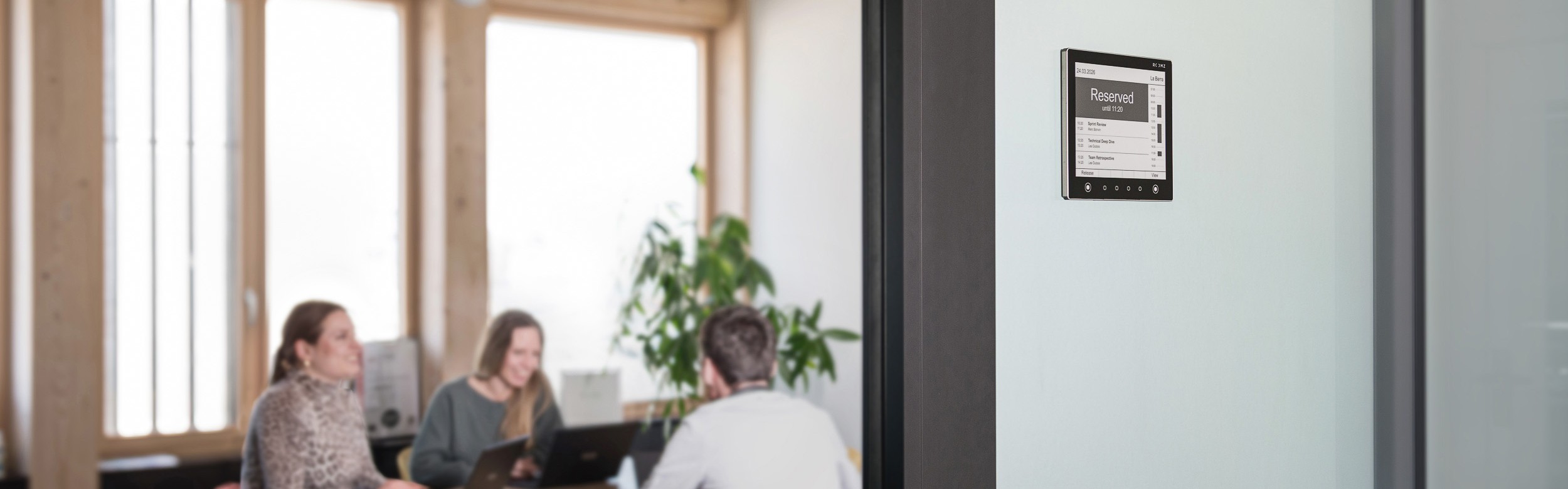
The ROOMZ Education Display shows information directly at the entrance of classrooms and seminar rooms. Depending on the configuration, it can display the current class, the teacher, course information, or the next booking.
The solution is wireless and based on energy-efficient e-ink© technology. The displays are designed to last more than ten years and offer a battery life of up to four years.
For schools, this means less cabling, fewer manual updates, and a digital display that adapts to changing room assignments.

The ROOMZ Education Display shows the current class and upcoming lessons at each classroom door. |
ROOMZ Desk Sensor for learning areas
Classrooms are not the only spaces that can be managed digitally. Learning and work areas can be managed the same way.
ROOMZ Desk Sensors detect workstation occupancy and show how learning areas are actually used. Educational institutions can then assess whether the available study spaces match real demand.
This is particularly relevant for schools and universities that manage libraries, study zones, or other flexible work areas in addition to their classrooms.
ROOMZ Experience Box Education
For educational institutions that wish to test ROOMZ on a limited scale first, the ROOMZ Experience Box Education offers an easy starting point.
It includes a ROOMZ Education Display, a ROOMZ Desk Sensor, a wall mount, support, and a subscription. Schools can try the solution in a single room or learning area before planning a larger rollout.
Discover the ROOMZ Experience Box Education⟶
Digital and technology standards: what schools in England should know
In England, the Department for Education has published digital and technology standards for schools and colleges. All schools and colleges should be working toward meeting six core standards by 2030:
- Broadband internet
- Wireless network
- Network switching
- Digital leadership and governance
- Filtering and monitoring
- Cyber security
Two of these standards are directly relevant when choosing digital door signs.
A reliable wireless network is the foundation for wireless displays. ROOMZ Displays connect through the existing Wi-Fi network, so no additional network cabling is needed at the door. To support this core standard, the government’s Connect the Classroom program funds wireless network upgrades in eligible schools.
Cyber security is the second key point. Every connected device in a school network should be assessed by the IT team. ROOMZ Displays run without an embedded operating system, which keeps the device simple to secure and maintain.
For schools and trusts, the 2030 standards are a good opportunity to review their digital strategy. Room signage and room management can be part of this review, alongside networks, devices, and learning platforms.
Which digital solutions complement door signs for schools?
When planning a digital school infrastructure, a holistic view pays off. A digital door sign can be the first step, but it should fit into the existing IT and room management structure.
Depending on requirements, the following solutions may be of interest:
| Requirement | Possible digital solution |
|---|---|
| Timetables and current room bookings at the classroom | ROOMZ Education Display (digital door sign) |
| Central overview of rooms and courses | ROOMZ Flightboard |
| Study space usage | ROOMZ Desk Sensor |
| Better use of available rooms | Digital room signage with daily or weekly view |
| Continued use of existing timetable systems | Integration with existing school software |
| Gradual digitalization | Pilot project with the ROOMZ Experience Box Education |
The advantage of a modular approach: not every building or room needs to be digitized at the same time.
How to choose digital door signs for schools
When planning a digital signage project, it is important to look beyond the display itself. What matters is the entire system behind it.
1. Integration
Can the solution connect to the school software, timetable system, or room booking tool already in use?
2. Installation
Is cabling required? Do walls need to be drilled? How easily can the solution be retrofitted in existing buildings? These questions are especially important because many schools are housed in historic or protected buildings, where construction work is often restricted.
3. Updates
How are changes to timetables and room bookings transferred to the display? Is there central management?
4. Energy consumption
How much energy does the system consume in daily operation? E-ink© displays can be an energy-efficient alternative to conventional LCD screens, particularly for applications that mainly show static information.
5. Scalability
Can a school start with a few rooms and later extend the solution to other buildings and sites?
6. Maintenance
How often do batteries, displays, or other components require maintenance? For IT departments managing many school sites, low maintenance can be a deciding factor.
7. Data protection and security
What data is processed? Is information stored locally on the display? How is data transmitted and secured?
For any school solution, data protection should be part of the technical assessment from the outset.
Case studies: door signs for schools in practice
Kantonsschule Olten in Switzerland shows how digital door signs can change everyday school life.
As part of a complete renovation, 85 ROOMZ Education Displays were installed to equip the classrooms. The school was able to replace its paper timetables with digital room signage. ROOMZ Displays were also installed in its meeting rooms.
This experience highlights a key benefit of digital door signs: changes to room assignments no longer need to be updated by hand at each individual room.
Schools in Germany also rely on ROOMZ. The Anna-Warburg-Schule in Hamburg, a vocational school for social pedagogy, has installed 49 ROOMZ Education Displays and connected them to its existing Untis timetable. Last-minute room changes and exam room closures are now visible directly at the room.
At ETH Zurich, more than 800 ROOMZ Displays have been in use since 2016. Wireless installation plays a particularly important role there, as the historic main building could not easily be fitted with additional cabling.
In the UK, public organizations such as Southwark Council and The Scottish Parliament also use ROOMZ Displays to manage their meeting rooms.
Conclusion: door signs for schools are going digital
Door signs for schools are no longer just a matter of labeling. When room assignments and timetables change regularly, digital room signage can reduce administrative workload and improve wayfinding within the school building.
Digital signage for schools and educational institutions is especially valuable when it connects to existing systems and updates information automatically. Wireless e-ink© displays also make it possible to retrofit existing buildings without extensive cabling.
In England, the digital and technology standards set a clear direction for 2030. For schools and trusts, this is a good opportunity to include the digital management and use of school rooms in their digital strategy.
Schools that want to test digital room signage in their own building first can start with a single room and then expand the solution step by step. A pilot project can be requested on the try ROOMZ page. For questions about a larger rollout, our team is available for a personal meeting.
Author & expert review

Nadia Obeida
Marketing Manager at ROOMZ
Author
Nadia translated the requirements of IT and facility teams in schools and universities into a practical decision-making resource and defined the SEO and GEO structure of this article.

Roger Meier
Founder and CEO of ROOMZ
Co-author & expert review
Roger brings the product and field perspective from ROOMZ projects in schools and universities. He reviewed this article with a focus on technology, integration, scalability and practical relevance.