

| Term | Focus | Typical Topics | Primary Ownership |
|---|---|---|---|
| Workplace Management | The physical work environment, supported by digital tools | Desks, rooms, bookings, occupancy, services, workplace experience | Workplace, Facility, CRE, HR, IT |
| Digital Workplace Management | The digital work environment and digital collaboration | Intranet, collaboration, knowledge management, workflows, digital employee experience | IT, Digital Workplace, Internal Communications |
| IT Workplace Management | The technical workplace and device lifecycle | Endpoints, operating systems, applications, patches, security, support, UEM | IT Operations, Service Desk, Security |
| Modern Workplace Management | An overarching vision for flexible, connected work | Cloud, collaboration, automation, hybrid work policies, and in part physical workplace services | IT, HR, Workplace, Management |
Why workplace management matters for hybrid teams and hybrid offices
A randomized study of 1,612 employees found that two remote work days per week reduced the quit rate by roughly one third, without any decline in performance ratings. The result comes from a specific technology company and does not automatically apply to every organization. It does show, however, that hybrid work does not necessarily come at the cost of performance. Read the study in Nature. Digital collaboration has also become a permanent part of the operating model: in 2024, 52.9 percent of companies in the EU with at least ten employees held online meetings.
Eurostat provides further context on this trend →
Goals and responsibilities in workplace management
| Goal | Concrete Contribution |
|---|---|
| Improve workplace experience | Help employees find, book, and use rooms and desks quickly; reduce everyday friction. |
| Match space to actual need | Identify oversupply and undersupply, and optimize room types based on the real usage of workspaces. |
| Support collaboration | Create a varied work environment that supports different daily activities, for example team meetings, focused work, or quick calls. |
| Simplify operations | Turn booking, release, visualization, support, and data analysis into clear processes. |
| Control costs and resources | Make informed decisions on rent, energy, and operating costs based on the analysis of sensor occupancy data. |
| Advance sustainability | Optimize space, energy consumption, and equipment based on actual usage, while adopting sustainable, resource-efficient solutions. |
The core building blocks of modern workplace management
-
- Strategy and governance:
Everything starts with a clear vision, defined responsibilities, and decision-making rules. Workplace, Facility, HR, IT, Data Protection, Corporate Real Estate, and, where applicable, employee representatives should be involved early. This creates shared definitions for resources, data, KPIs, and space planning decisions. - Booking and wayfinding:
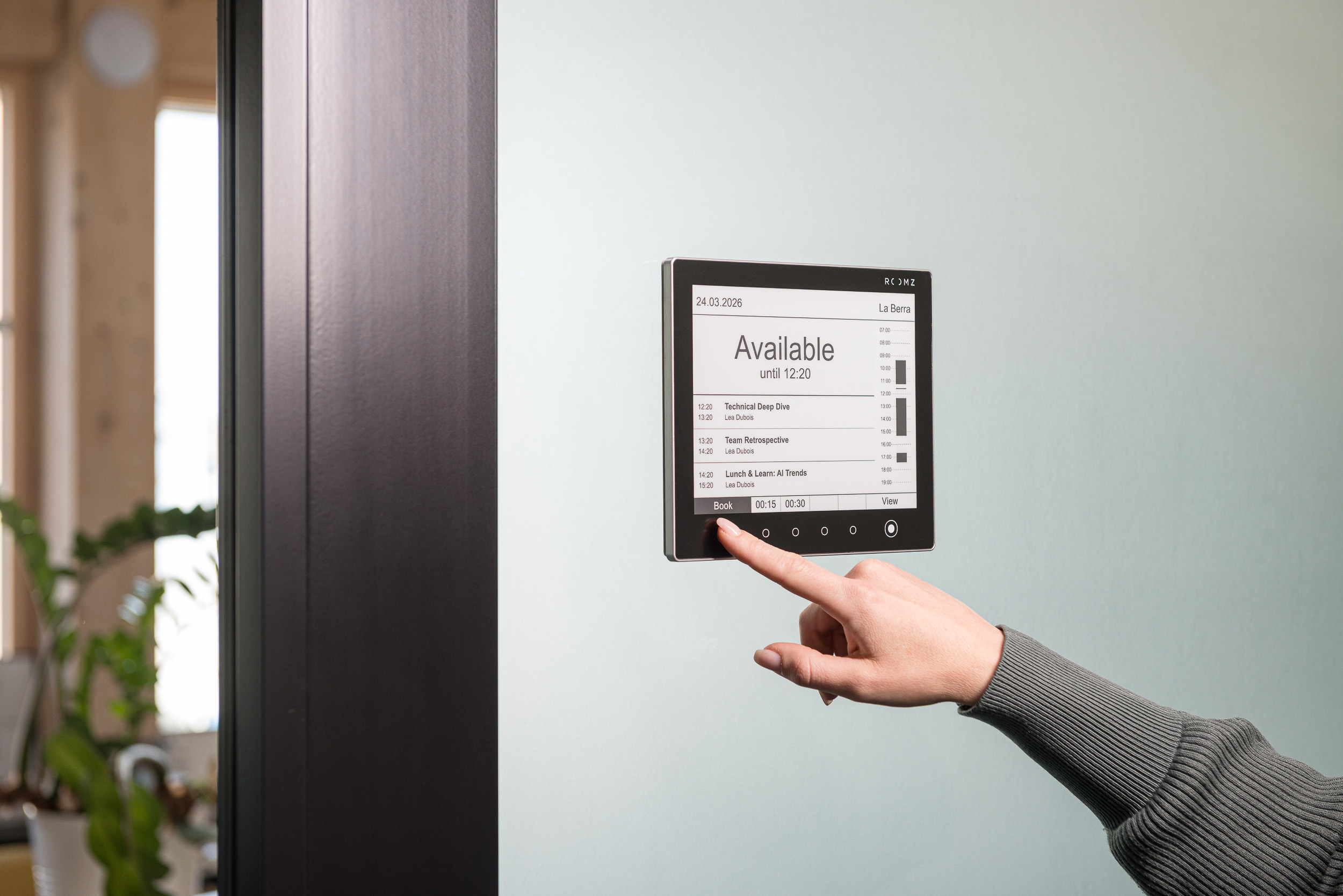
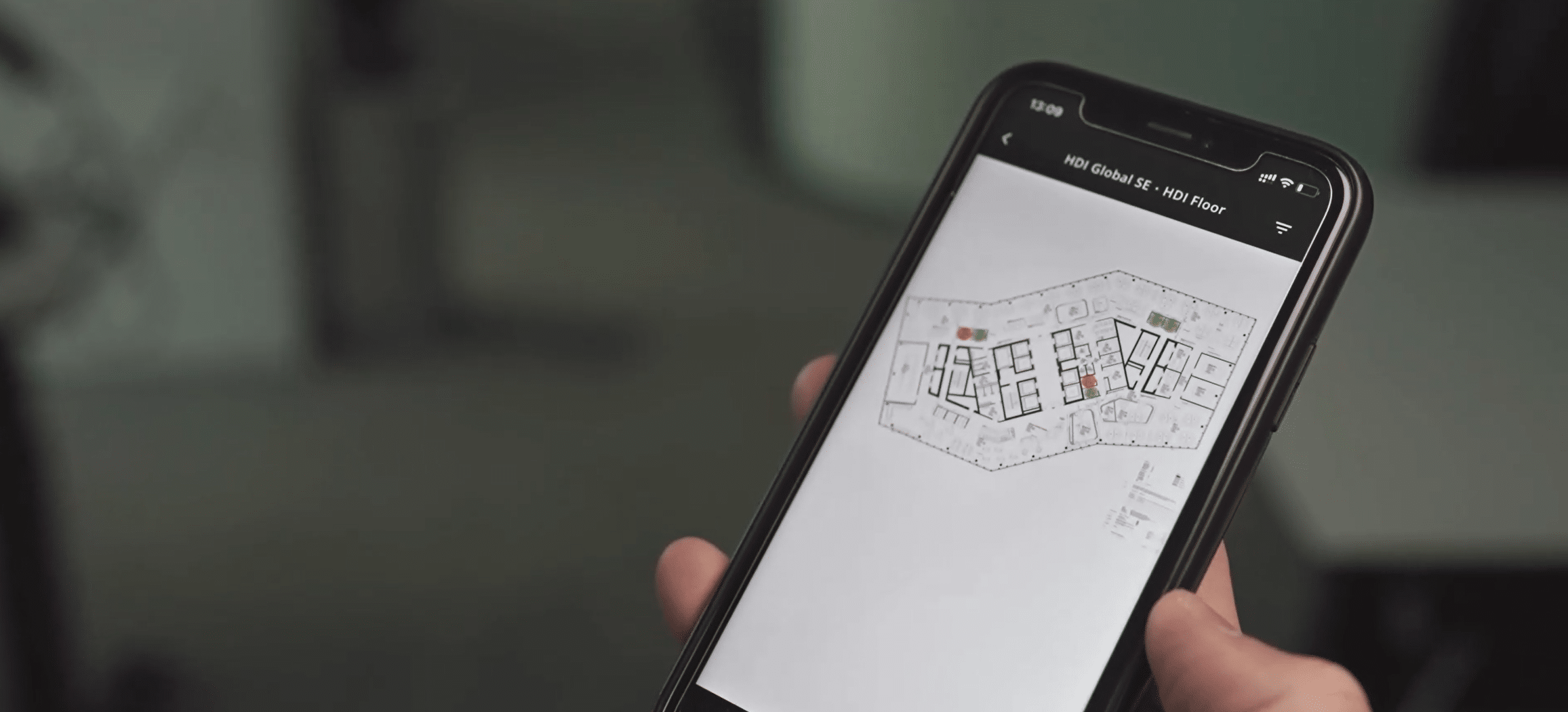
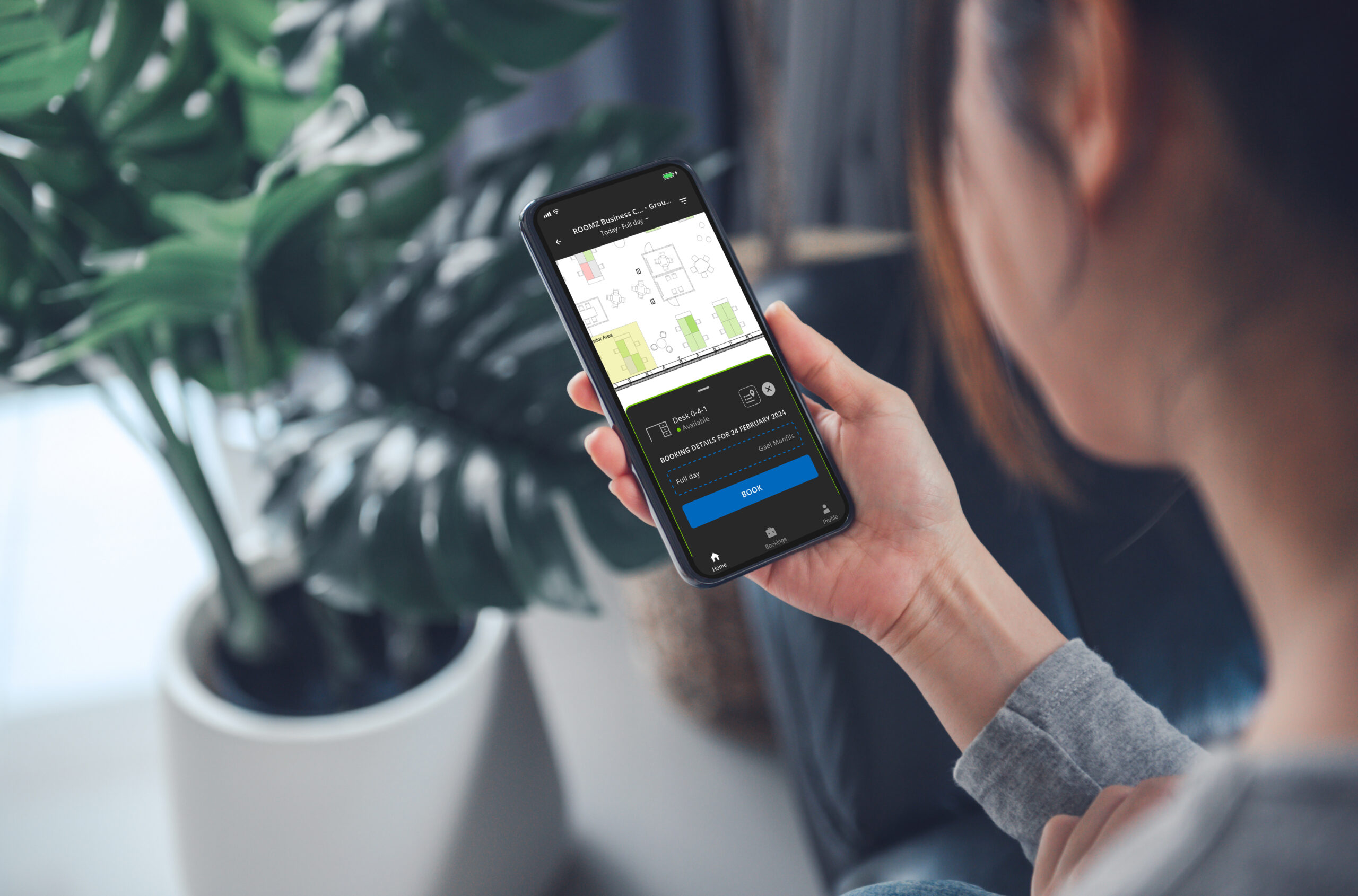
Employees need to be able to find and book desks, meeting rooms, or phone booths quickly and easily. Interactive building and floor plans, a booking app for desktop and mobile such as myROOMZ, and a real-time occupancy display all help cut search time significantly.
What matters most is that these functions integrate smoothly with the tools already in daily use, such as calendars, Microsoft 365, or Google Workspace. - Occupancy and actual usage:
Booking data shows intent, not necessarily use. A reserved room can sit empty; a huddle space that cannot even be booked can see heavy use. Occupancy sensors fill in this gap. They should capture only the data required for their defined purpose.
Only by comparing booking data with occupancy data do you get a reliable picture of how workspaces are actually used. This reveals no-shows, rooms that are reserved but never used, and areas that are frequently used on a spontaneous basis and may therefore be overloaded. - Workplace analytics:
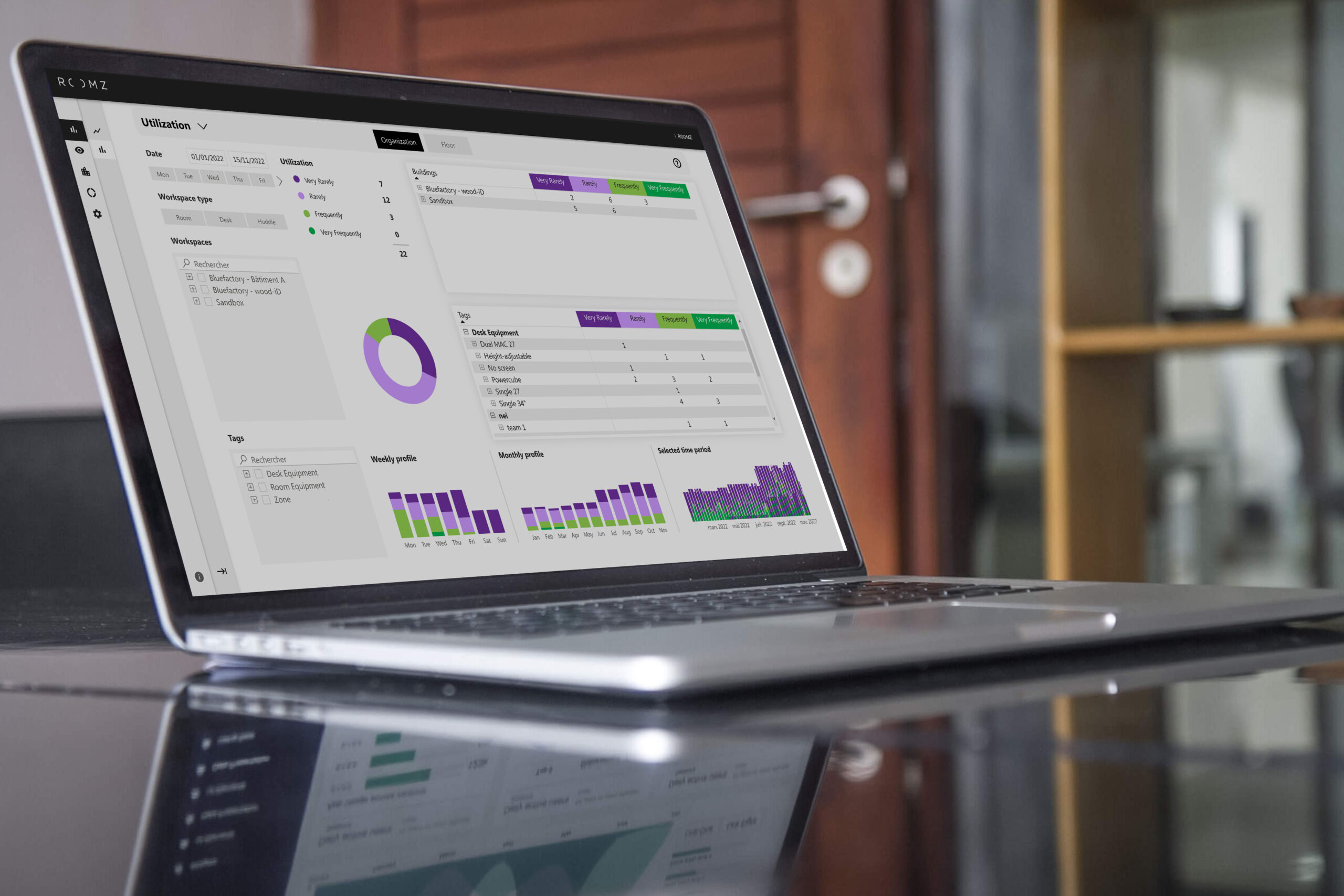
Workplace analytics turn booking and occupancy data into patterns. Facility and workplace teams can compare buildings, floors, zones, or room types, spot peak times, and track changes over a longer period. Good dashboards answer specific questions rather than simply displaying as many charts as possible.
Using tags, for example by department, equipment, zone, building, or any other relevant criteria, teams can build individual dashboards. This makes it visible at a glance which workspaces are heavily used and which are barely used, along with the factors driving those differences.
These analyses create a solid foundation for space planning decisions. For example, a company might add more phone booths if focus areas are consistently at capacity, create additional small meeting rooms, or repurpose underused space. Investment decisions then follow the actual needs of employees rather than assumptions. - Integrations and operations:
Workplace Management software needs to fit the existing IT and building landscape. This includes calendars, Microsoft 365, Google Workspace, SSO, Wi-Fi, digital displays, access control systems where relevant, and reporting.
Native integration with the tools employees already use not only makes rollout and administration easier, it also drives adoption in daily work. Employees can book meeting rooms or desks directly through the applications they already know, without having to change their existing workflows.
Cloud and on-premises models should be evaluated based on security, operations, update capability, and internal resources. - Change management and continuous improvement:
New booking rules or desk-sharing concepts change established routines. Pilot groups, clear communication, feedback, and visible improvements increase adoption. Workplace Management is not a one-time setup project, it is an ongoing cycle.
- Strategy and governance:
|
ROOMZ Advanced Analytics captures the actual use of rooms and desks, making Workplace Management measurable. |
How data-driven workplace management works
- Understand demand:
Capture teams, activities, attendance patterns, and the room types actually required. - Visualize resources:
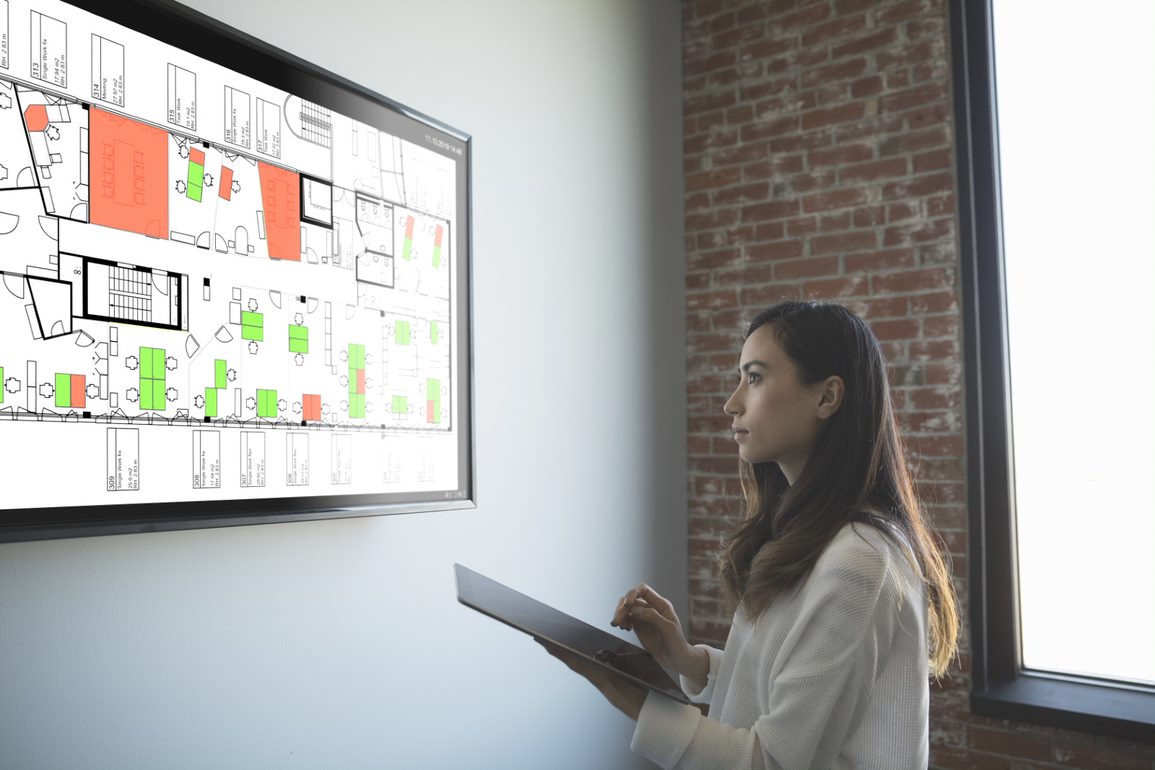
Display desks, meeting rooms, and other workspaces clearly on interactive floor plans. - Enable booking:
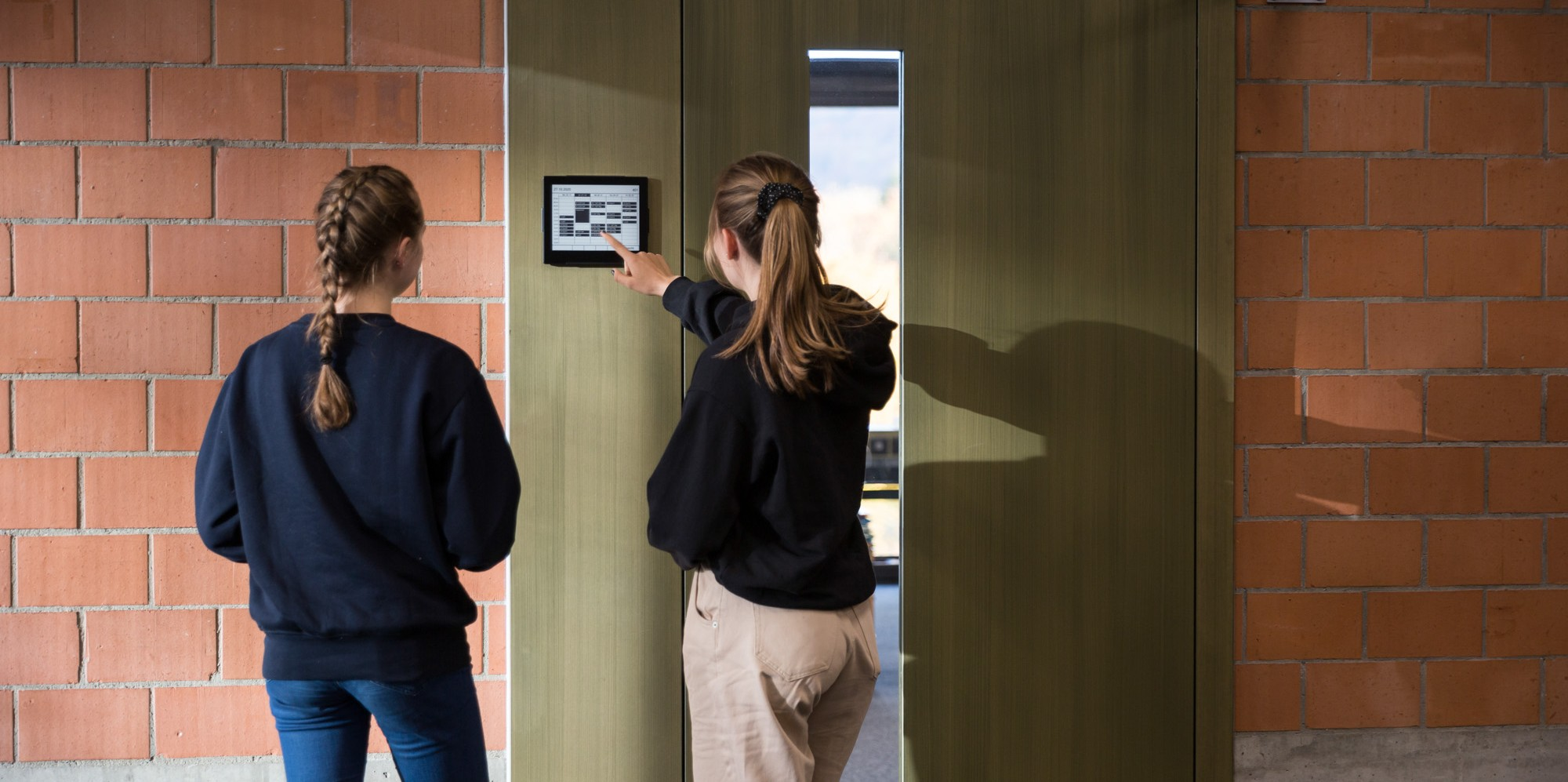
Let employees reserve the right workspace directly through a room planning display or the booking system they already use. - Capture actual occupancy:
Use occupancy sensors together with booking data to see which workspaces are genuinely being used. - Implement improvements and space adjustments:
Adapt booking rules, room types (for example meeting rooms, phone booths, or desks), and equipment (for example dual monitors or video conferencing technology) to match actual demand, based on the insights gathered. - Measure results:
Check whether workplace experience, workspace availability, space utilization, and operational efficiency have genuinely improved. At this stage, it is important to systematically gather feedback from everyone involved, from employees to facility and IT teams to management, and feed it back into ongoing optimization.
|
ROOMZ Floorplans – real-time visibility into the availability of every workspace. |
The most important KPIs in workplace management
| KPI | Sample Calculation | Decision Question |
|---|---|---|
| Occupancy rate | Occupied time ÷ available time | How intensively is a resource actually being used? |
| Booking rate | Booked time ÷ available time | How high is planned demand? |
| No-show rate | Booked but unoccupied appointments ÷ all bookings | How much capacity is blocked without being used? |
| Ad hoc usage | Occupied but unbooked time | Which workspaces and room types tend to get used without a prior reservation? |
| Peak occupancy | Highest occupancy within defined time windows | Is capacity sufficient on critical days and at critical times? When do usage peaks occur (which days of the week, which hours)? |
| Usage by room type | Occupancy by desk, meeting room, huddle space, focus zone | Does the space mix match how people actually work? Does the workspace offering provide enough variety for employees’ different needs? |
| Release rate | Bookings released automatically or manually | How effective are auto-release rules and user policies? |
| Adoption | Active users or bookings relative to the target population | Is the system genuinely being adopted in daily use? |
Introducing workplace management in seven steps
Step 1: Define goals and use cases
Step 2: Define stakeholders and governance
Step 3: Assess your baseline and data quality
Which room and desk booking solutions, as well as collaboration tools, are already in place?
What everyday challenges do users report, for example long search times for a free meeting room, or rooms that are reserved but never used?
Step 4: Design for data protection and security
Step 5: Launch a representative pilot
Step 6: Support adoption and evaluate feedback
Step 7: Measure impact and scale in a controlled way
With the ROOMZ Experience Box you can test the solution in a real work environment and equip your first meeting room in under an hour, thanks to the wireless installation.
Why a variety of workspaces matters for a successful space strategy
Selection criteria for workplace management software
| Criterion | Key Question |
|---|---|
| Appropriate feature set | Does the solution support exactly the resources and processes you need, without unnecessary complexity? |
| Ease of use | Can employees find, book, and release rooms and desks in just a few steps? |
| Booking plus occupancy | Can planned reservations and actual usage be analyzed together? |
| Integrations | Does the solution work with calendars, Teams, Outlook, Google Workspace, SSO, and your existing infrastructure? |
| Digital floor plans | Can buildings, floors, room types, and live status be visualized clearly? |
| Data protection and security | Are the principles for data anonymization, encryption, access management, and GDPR compliance clearly defined? |
| Cloud or on-premises | Does the model match your internal requirements and available operational resources? |
| Scalability | Can the pilot be extended to additional floors, sites, and resources? |
| Analytics | Does the system deliver clear, exportable, and actionable reporting? |
| Hardware and maintenance | How much installation effort, cabling, power consumption, battery life, and maintenance is involved? |
Responsibilities of a Workplace Manager
- Develop workplace strategy and standards
- Analyze demand for desks, rooms, and services
- Design booking and usage processes
- Track workplace experience and feedback
- Prepare KPIs, dashboards, and space planning decisions
- Coordinate Facility, HR, IT, Corporate Real Estate, and vendors
- Manage pilots, rollouts, and change communication
- Ensure data protection, security, and governance together with the relevant departments
Common mistakes and how to avoid them
| Mistake | Better approach |
|---|---|
| Starting with the tool instead of the problem | Define the use case, target group, and success criteria before selecting a product. |
| Analyzing booking data alone | Add real occupancy data and user feedback wherever it makes sense to do so. |
| Overweighting average values | Analyze peaks, days of the week, room types, zones, and trends over time. |
| Bringing in data protection too late | Design purpose, data minimization, and transparency into the pilot from the start. |
| Assuming adoption will happen on its own | Plan for communication, guides, feedback, and visible quick wins. |
| Treating Workplace Management as a one-time project | Establish a continuous review and improvement process. |
How ROOMZ supports workplace management
|
myROOMZ mobile booking app for workspace reservations in modern Workplace Management. |
Case Study: How BOBST optimizes its work environments with data
Conclusion: The right data makes workplace management measurable
Author & expert review

Nadia Obeida
Marketing Manager at ROOMZ
Author
Nadia translated the requirements of IT and facility teams in schools and universities into a practical decision-making resource and defined the SEO and GEO structure of this article.

Roger Meier
Founder and CEO of ROOMZ
Co-author & expert review
Roger brings the product and field perspective from ROOMZ projects in schools and universities. He reviewed this article with a focus on technology, integration, scalability and practical relevance.