

A room scheduler brings room planning, booking, and real-time availability together in a single process. With ROOMZ, employees can book meeting rooms through their usual calendars or directly at the room.
Wireless displays show room availability on-site, optional sensors detect actual occupancy, and Space Analytics provides insights into how spaces are being used.
This transforms a basic room calendar into a comprehensive room scheduling solution for hybrid work environments.
Discover the ROOMZ meeting room solution⟶
What is a room scheduler?
A room scheduler is a software solution designed to plan, book, and manage shared spaces. Employees can check which meeting or conference rooms are available, select a suitable space based on time, capacity, or equipment, and reserve it for a meeting.
In the workplace context, terms such as room scheduler, meeting room scheduler, room scheduling software, and meeting room scheduling software are often used interchangeably. However, they differ from personal meeting scheduling apps.
A personal scheduler primarily coordinates appointments between people. A room scheduler also manages the physical space as a resource, including its availability.
The term room planning software is also used in this context. It should not be confused with CAD-based building design or architectural planning software. Here, the focus is on the operational planning and booking of meeting rooms.
How does room scheduling software work?
Modern room scheduling software connects room calendars with the tools employees already use. Bookings can be made through Outlook, Microsoft Teams, Google Workspace, a dedicated app, or directly at the room.
Changes are synchronized so that calendars and displays always reflect the latest room status.
1. Find the right meeting room
A meeting room scheduler should make it easy to find a suitable room based on relevant criteria. These include location, capacity, availability, and, depending on the system, additional features and equipment.
In Microsoft 365, rooms can be managed as resources with their own calendars, capacities, and equipment details. Microsoft Places and Outlook use these resources to help employees find and book suitable spaces.
Technical reference: Microsoft Learn, Room and Desk Booking
2. Book a room and keep calendars synchronized
Once a room has been selected, it is added to the meeting invitation. The room resource calendar prevents scheduling conflicts and keeps availability up to date.
ROOMZ integrates with Microsoft 365, Microsoft Teams, Google Workspace, Exchange, and more than 20 other booking systems. Employees can continue using their existing tools without having to learn a new booking platform.
3. Display room availability directly at the door
A digital calendar alone does not cover every situation in the workplace. A room may appear available in the calendar, but employees passing by have no way of knowing whether they can use it spontaneously.
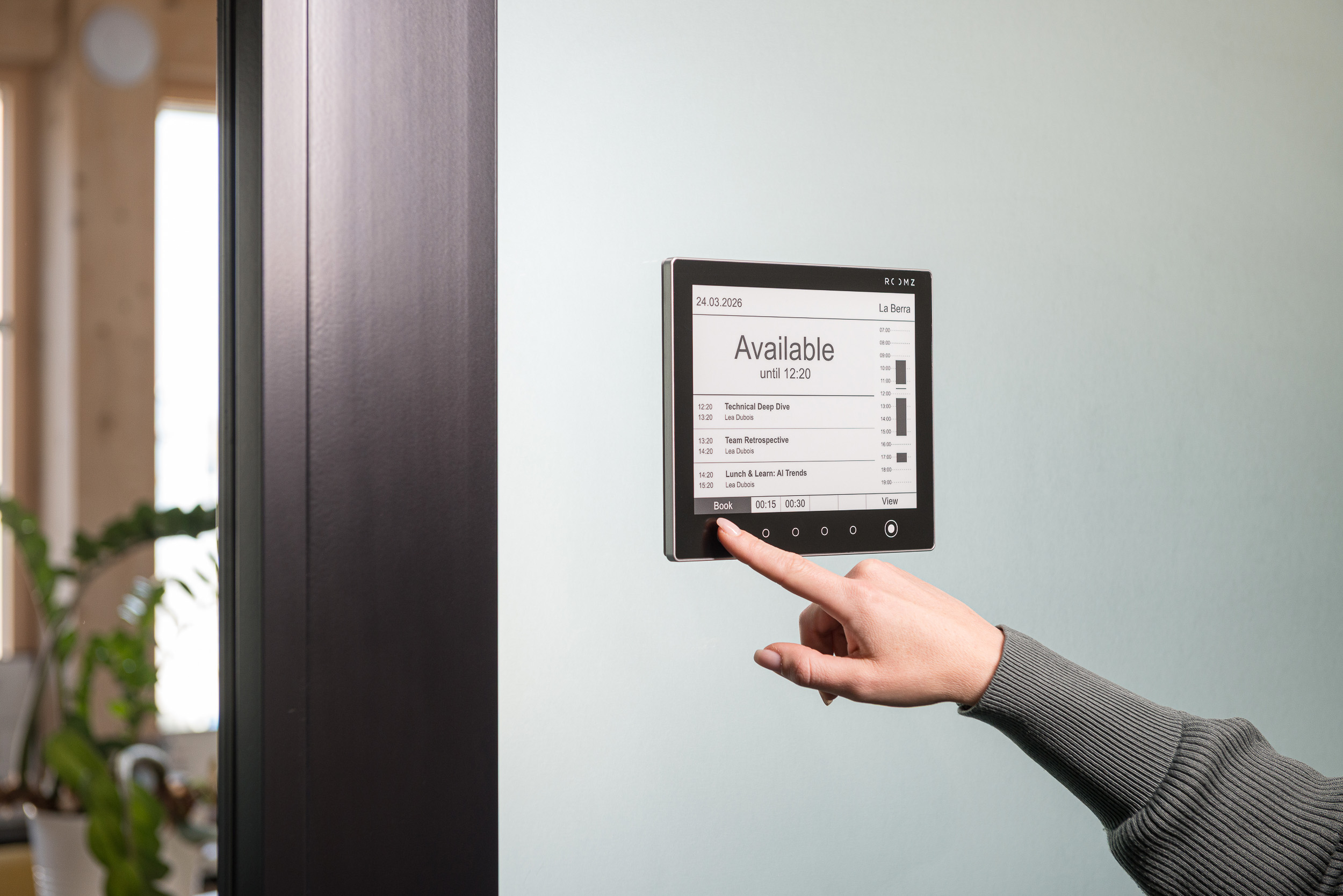
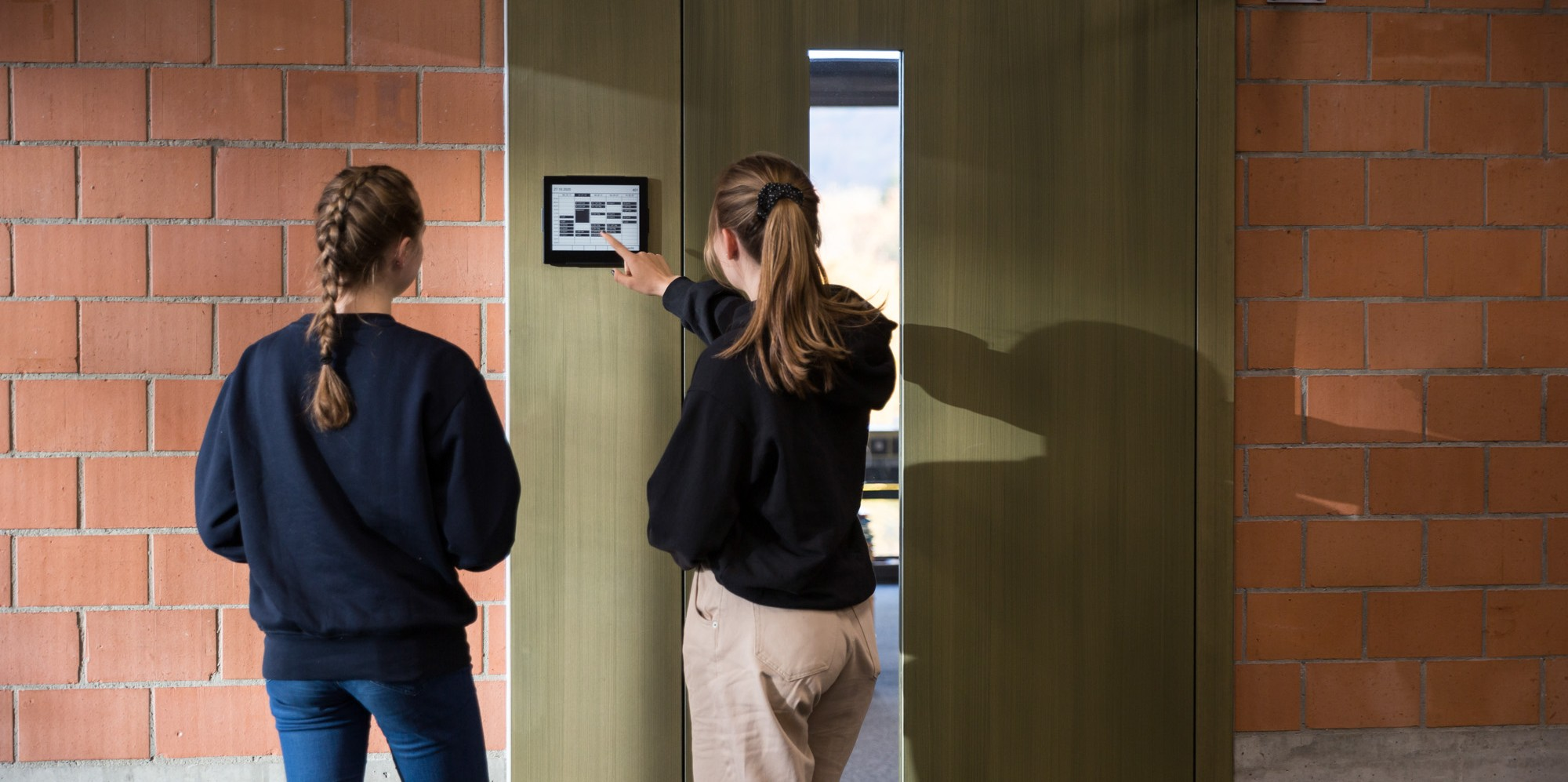
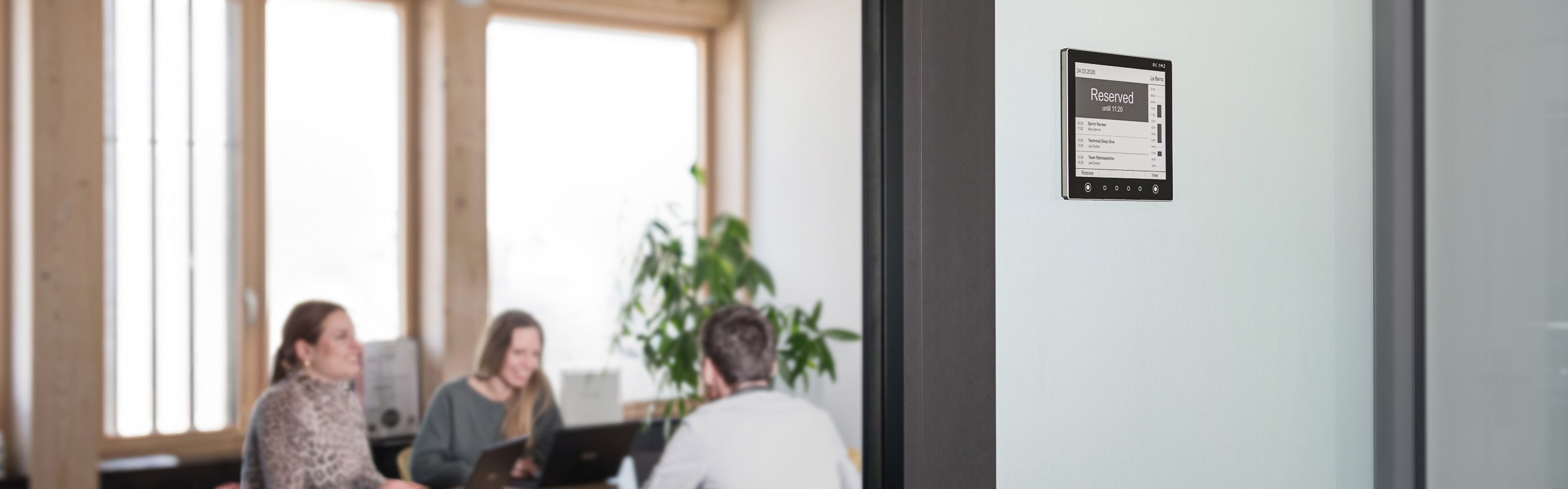
The ROOMZ Display shows the current room status and upcoming bookings directly outside the meeting room. Its touchscreen also allows employees to make last-minute reservations.

The ROOMZ Display shows room status and upcoming bookings directly at the meeting room door. |
4. Detect no-shows through actual occupancy
A booking only indicates planned room usage, not whether a meeting is actually taking place. An optional ROOMZ Sensor detects whether the room is occupied.
If nobody shows up for a scheduled meeting, the room can be automatically released and made available to other employees. Occupancy detection is anonymous and does not identify individuals.
Discover the ROOMZ Occupancy Sensor⟶

The ROOMZ Sensor detects actual room occupancy anonymously and helps release unused bookings. |
Room scheduler vs. Outlook: What does a business really need?
Microsoft 365 and Google Workspace already allow meeting rooms to be managed as bookable resources. For basic requirements, these features may be sufficient.
Microsoft, for example, explains how room resources have their own calendars, display availability, and automatically prevent scheduling conflicts.
A dedicated room scheduler becomes valuable when businesses want to connect calendar bookings with actual room usage. This includes:
- displaying availability at the door,
- enabling spontaneous bookings,
- automatically releasing unused rooms,
- helping employees navigate large buildings,
- providing reliable space utilization data.
| Approach | Calendar booking | On-site room status | Actual occupancy detection |
|---|---|---|---|
| Microsoft 365 / Google Workspace | Yes | Limited or requires additional hardware | Not automatic |
| Software-first room scheduler | Yes | Depends on kiosk or tablet setup | Often through check-in |
| ROOMZ ecosystem | Yes, through existing systems | Wireless e-ink© display | Optional, through a dedicated sensor |
What features should a meeting room scheduler offer?
When choosing a room scheduler, businesses should look beyond the user interface. The key is to ensure that the room scheduling solution fits the existing IT environment, building layout, and operational requirements.
| Criterion | Why it matters |
|---|---|
| Real-time availability | Available, occupied, and soon-to-be-available rooms should be displayed consistently. |
| Calendar integration | Bookings should stay synchronized with Microsoft 365, Outlook, Teams, Google Workspace, or Exchange. |
| Ad-hoc booking | Available rooms should be bookable on the spot, without having to use a calendar. |
| On-site room status | Displays reduce the time spent searching for available rooms and make availability visible without requiring an additional app. |
| No-show management | Unused bookings should be automatically released so that rooms become available to other employees. |
| Occupancy data | Actual usage provides more meaningful insights than booking data alone when making workplace planning decisions. |
| Scalability | Multiple floors, buildings, and locations should be manageable from a central platform. |
| Security | Encrypted communication, transparent data flows, and documented security processes are essential in corporate environments. |
| Operational effort | Power supply, cabling, device management, software updates, and battery replacements all affect the total cost of ownership. |
ROOMZ, a wireless room scheduling solution
ROOMZ takes a purpose-built approach to meeting room management. The display is specifically designed to show room availability and enable bookings.
It requires neither a permanent power supply nor PoE infrastructure. Instead, it connects through the existing Wi-Fi network.
Under typical usage conditions, the ROOMZ Display offers an average battery life of four years and a lifespan of more than ten years, according to current product specifications. It operates without a traditional operating system and stores no customer data locally. Firmware updates and Wi-Fi management are automated.
This architecture is particularly relevant for businesses equipping multiple rooms across several floors or buildings. Ease of installation, maintenance, and future relocation therefore become important selection criteria, alongside the software license itself.
Meeting room scheduling software with actual occupancy data
One of the main limitations of booking data alone is that it does not show whether a reserved room was actually used. Manual check-ins can help, but they require employees to actively confirm their attendance.
ROOMZ can instead detect actual room occupancy through a dedicated sensor. This makes it possible to compare bookings with actual room usage.
The data helps identify recurring ghost meetings, oversized rooms, and spaces that are frequently blocked by unused reservations. If a room is booked but remains unoccupied, it can be automatically released and made available to other employees.
Room planning software for navigation and space analytics
Room planning extends beyond individual meeting room doors. In larger buildings, employees need to quickly locate available rooms and see which meetings are scheduled on each floor.
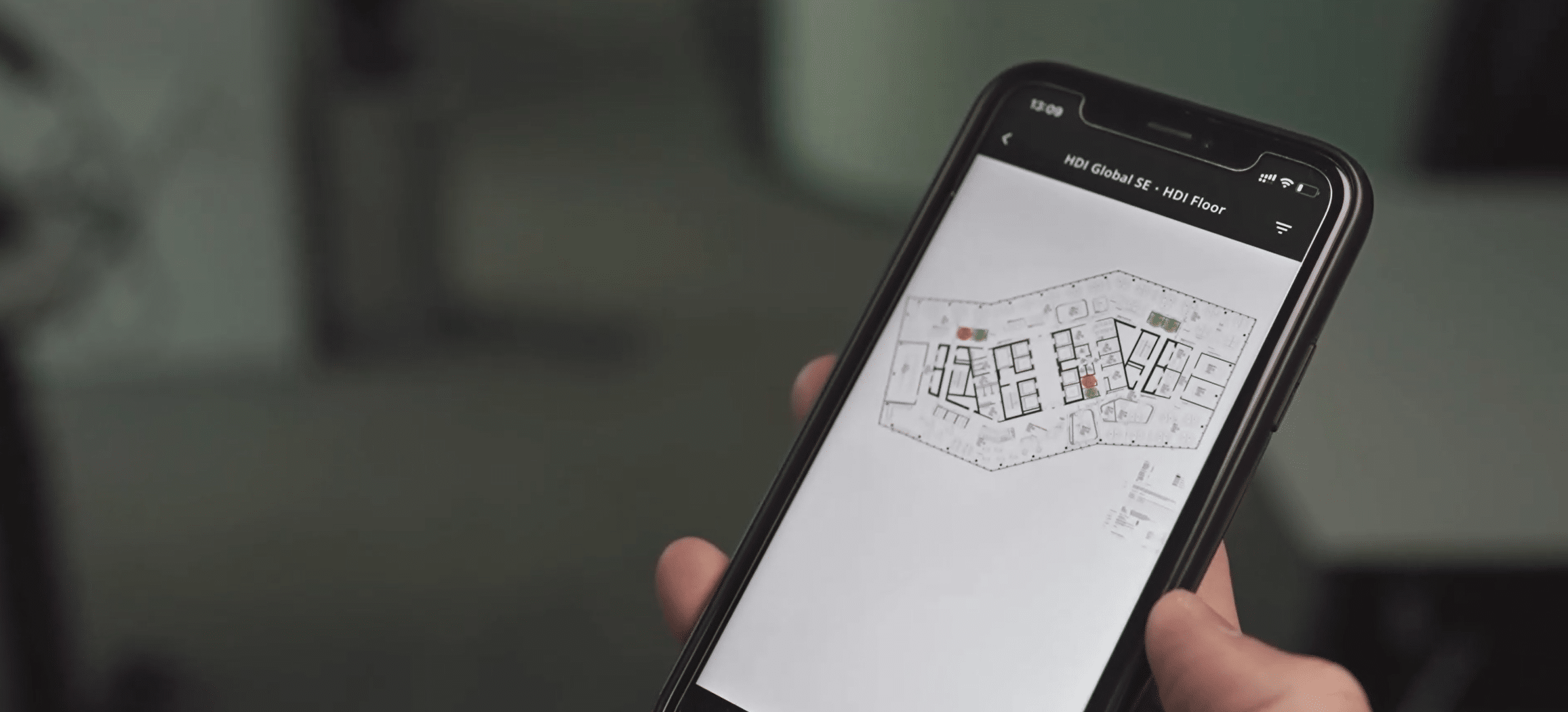
The ROOMZ Flightboard provides a centralized overview of current and upcoming meetings, with views organized by floor or building.
For Workplace and Facility Management teams, room planning also means understanding how spaces are actually used. ROOMZ Space Analytics combines booking and occupancy data to show not only which rooms are reserved, but also how they are being used.
This makes it possible to analyze utilization rates, no-shows, and space requirements by room, floor, or building.
Discover ROOMZ Space Analytics⟶
Room scheduler for Microsoft 365, Teams, and Google Workspace
A room scheduler should complement existing IT systems rather than replace them unnecessarily. ROOMZ integrates with existing calendar and collaboration platforms.
Bookings made through Microsoft 365, Teams, Google Workspace, and Exchange are displayed on the ROOMZ Display. Employees can also reserve available rooms directly at the display.
In Microsoft environments, room resources and resource mailboxes remain the foundation of booking management. Microsoft describes room mailboxes as dedicated resources with their own availability, capacity, and scheduling settings.
ROOMZ extends this digital process by making room availability visible and enabling interaction directly in the physical workplace.
Technical reference: Microsoft Learn, Room and Equipment Mailboxes
Security and data privacy in room scheduling
Room scheduling software is part of a company’s IT environment. Beyond ease of use, businesses should assess authentication, data flows, local data storage, network communication, and device management.
ROOMZ holds ISO 27001 and ISO 9001 certifications. The ROOMZ Display has no traditional operating system and does not store customer data locally. ROOMZ Sensors detect occupancy anonymously, without identifying individuals.
Real-world applications: From individual rooms to entire campuses
ROOMZ is used in a wide range of environments, from individual offices to large corporate campuses.
At ETH Zurich, 800 ROOMZ Displays are currently installed. The solution has been in use since 2016 and integrates with more than 10 different room booking systems. ETH Zurich particularly values its ease of use, scalability, and design.
At Lonza, ROOMZ has been deployed across 260 meeting rooms, with 3,000 sensors installed. This demonstrates how a room scheduler can go beyond basic booking interfaces. It brings together room status, occupancy monitoring, and workplace data in a scalable ecosystem.
Read the ETH Zurich customer reference⟶
When is ROOMZ the right room scheduler for your organization?
ROOMZ is particularly well suited to organizations that want to keep their existing calendar and booking systems while gaining greater visibility and automation across their buildings.
Its approach brings together room planning, booking, real-time availability, and actual space utilization, without requiring employees to adopt an entirely new way of working. ROOMZ is a good fit if:
- You use Microsoft 365, Teams, Exchange, Google Workspace, or another existing room booking system.
- Employees need to identify available meeting rooms at a glance and book them directly on-site.
- Ghost meetings and no-shows regularly leave meeting rooms unnecessarily blocked in room calendars.
- You want to equip multiple floors or buildings without complex cabling.
- Facility and Workplace teams need reliable data on actual room utilization.
- You want to combine displays, sensors, and analytics in one connected ecosystem.
Explore the ROOMZ meeting room solution⟶
Author & expert review

Nadia Obeida
Marketing Manager at ROOMZ
Author
Nadia translated the requirements of IT, facility and workplace teams into a practical guide for choosing a meeting room booking system and defined the SEO and GEO structure of this article.

Roger Meier
Founder and CEO of ROOMZ
Co-author & expert review
Roger brings the product and field perspective from ROOMZ workplace projects. He reviewed this article with a focus on technology, integration, scalability and practical relevance.