

Workplace management software brings people, workspaces and occupancy data together in a shared digital environment. It enables organizations to coordinate shared desks, meeting rooms and collaborative areas, improve visibility into workspace availability, and gain a clearer understanding of how their offices are used.
ROOMZ combines booking, digital floor plans, wireless displays, occupancy sensors and workspace analytics within one connected ecosystem.
This is particularly relevant as hybrid work leads to greater fluctuations in office attendance and space requirements. The JLL Global Occupancy Planning Benchmark 2026 reports a global office occupancy rate of 56%. This makes it increasingly important to understand which spaces are genuinely needed and how they can be used more effectively.
What is workplace management software?
Workplace management software helps organizations coordinate the use of their physical work environments. Its scope typically includes workspace and meeting room bookings, shared areas, availability, occupancy monitoring and workplace analytics.
By bringing these elements together, a workplace management platform gives employees and the teams responsible for facilities, corporate real estate, HR and IT a shared basis for managing and improving the workplace.
It is important to distinguish workplace management from IT workplace management. IT workplace management primarily covers devices, operating systems, applications, security and support. An integrated workplace management system (IWMS) typically covers a broader range of processes, potentially including real estate, maintenance, asset management and contracts.
ROOMZ focuses on the digitally enabled use of physical workspaces and can complement existing systems.
Workplace management, digital workplace and IT workplace management compared⟶
What should a workplace management platform offer?
Effective workplace management goes beyond simplifying day-to-day administrative tasks. It should help employees plan their time in the office while giving workplace teams reliable data to assess how spaces are used and where adjustments may be needed.
This requires a combination of intuitive booking processes, up-to-date availability information, integration with existing systems and dependable occupancy data.
Find and book desks and meeting rooms easily
Employees need to identify available desks and meeting rooms quickly and complete bookings with minimal effort. With myROOMZ, they can search for and reserve workspaces directly from an interactive floor plan.
Visibility into colleagues’ office attendance also helps teams coordinate their in-office days and plan collaborative work more effectively.
myROOMZ for shared desks and flexible workspaces⟶
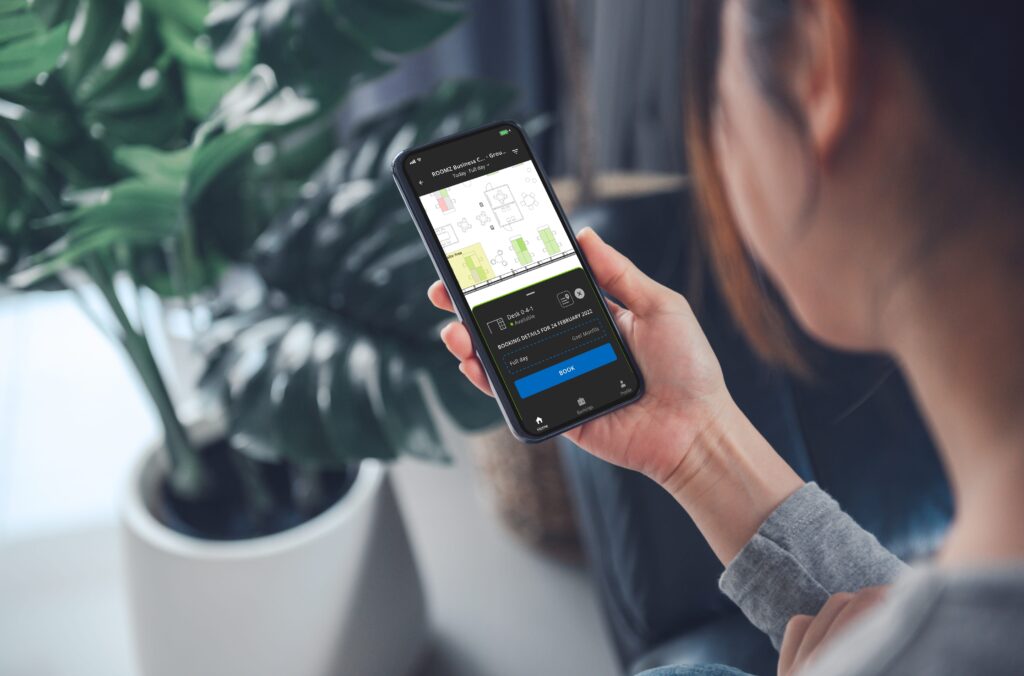
myROOMZ lets employees find and book desks and meeting rooms from their phone or desktop. |
Display availability where it matters
A workplace application alone cannot address every everyday situation. When employees are already standing outside a meeting room, they need to see its availability on the spot.
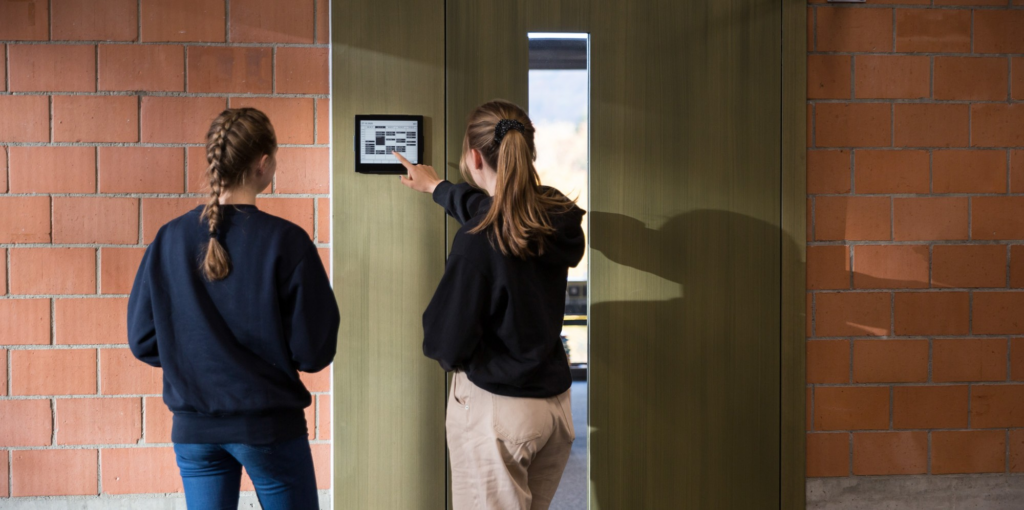
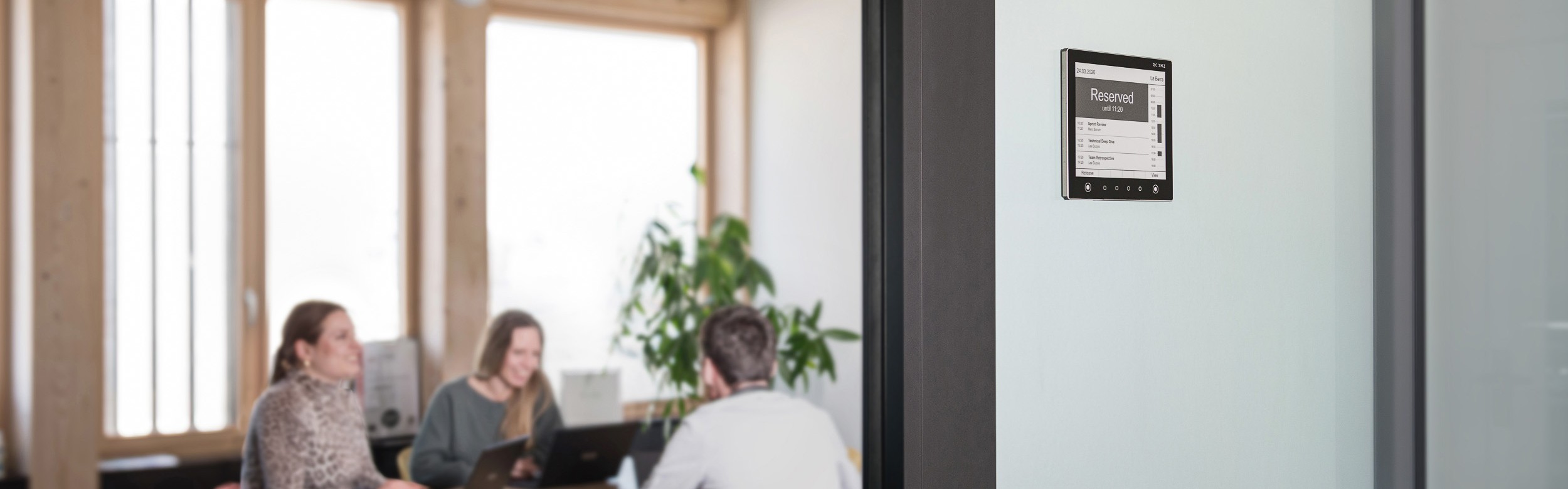
ROOMZ Displays show the booking status and upcoming meetings directly at the room. Depending on the configuration, they also support on-the-spot bookings or the release of reservations.
The displays connect via Wi-Fi and operate wirelessly, allowing installation without additional power or network cabling.
Discover ROOMZ Displays for digital room signage⟶
Distinguish bookings from actual occupancy
Booking data alone do not provide a complete picture of workspace utilization. A reserved desk or meeting room may remain empty, while other spaces may be used without a prior booking.
Distinguishing between planned and actual occupancy is therefore essential to understanding how the office functions in practice.
ROOMZ Sensors use passive infrared technology to detect presence and provide anonymized, real-time occupancy data. This makes it possible to identify ghost meetings, for example, and automatically release reserved rooms that remain unused.
Discover ROOMZ Sensors and Desk Sensors⟶
Use workplace analytics to make better space planning decisions
Workplace analytics helps turn individual bookings and occupancy events into patterns that can inform space planning. With ROOMZ Space Analytics, organizations can analyze booking and sensor data by building, floor, zone or custom tags.
These insights help identify areas with sustained demand, capacity constraints and spaces that remain underused over time. They provide a more robust basis for decisions about office layouts, workspace configurations and desk-sharing policies.
Discover ROOMZ Space Analytics⟶
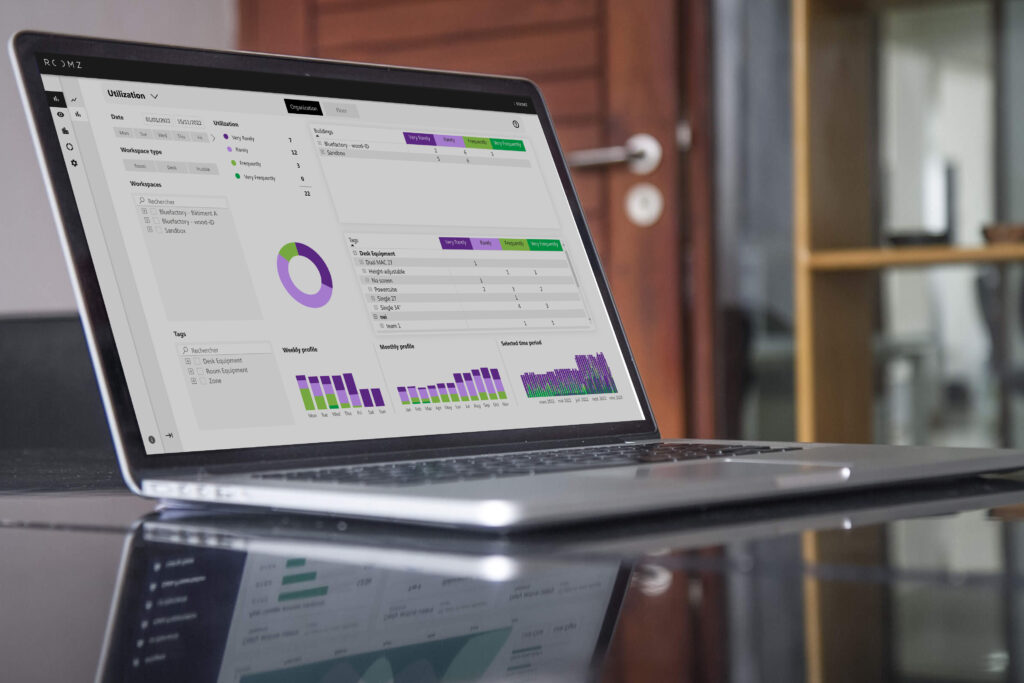
ROOMZ Space Analytics combines booking and sensor data to reveal how workspaces are actually used. |
Why workplace management software matters in a hybrid office
Hybrid work changes both attendance patterns and the way office space is used. Demand for small meeting rooms can vary considerably from one day to the next, while entire office zones may remain underused.
In this context, office management software needs to do more than coordinate bookings. It should also provide visibility into actual workspace utilization, helping organizations align their spaces with changing patterns of demand.
| Benefit | Impact on everyday operations |
|---|---|
| Less time spent searching | Employees can find available desks, meeting rooms and huddle spaces more quickly. |
| Better workplace experience | Employees can plan their office days more easily and choose the right workspaces for their needs. |
| Fewer no-shows | Occupancy sensors can identify reserved but unused rooms and support automatic release. |
| Better space planning | Decisions are based on actual usage as well as booking intentions. |
| Easier deployment | Wireless sensors and displays reduce installation work and infrastructure requirements. |
| Scalable management | Occupancy data can be compared across multiple buildings, floors and zones. |
Workplace management system: connecting software with physical spaces
Many workspace management systems stop at the calendar or application. However, the physical office tells a different story. Employees use rooms spontaneously, booked spaces remain empty, and areas that cannot be reserved may still be heavily used.
Effective office space management software should bridge the gap between digital planning and actual workspace usage.
This is where the ROOMZ ecosystem comes in:
- myROOMZ: supports workspace planning and booking.
- Digital floor plans: help employees navigate the office.
- ROOMZ Displays: show availability at meeting rooms.
- ROOMZ Sensors: measure actual occupancy.
- Space Analytics: brings the data together for further analysis.
Together, these components connect workspace planning, booking, occupancy measurement and optimization within one ecosystem.
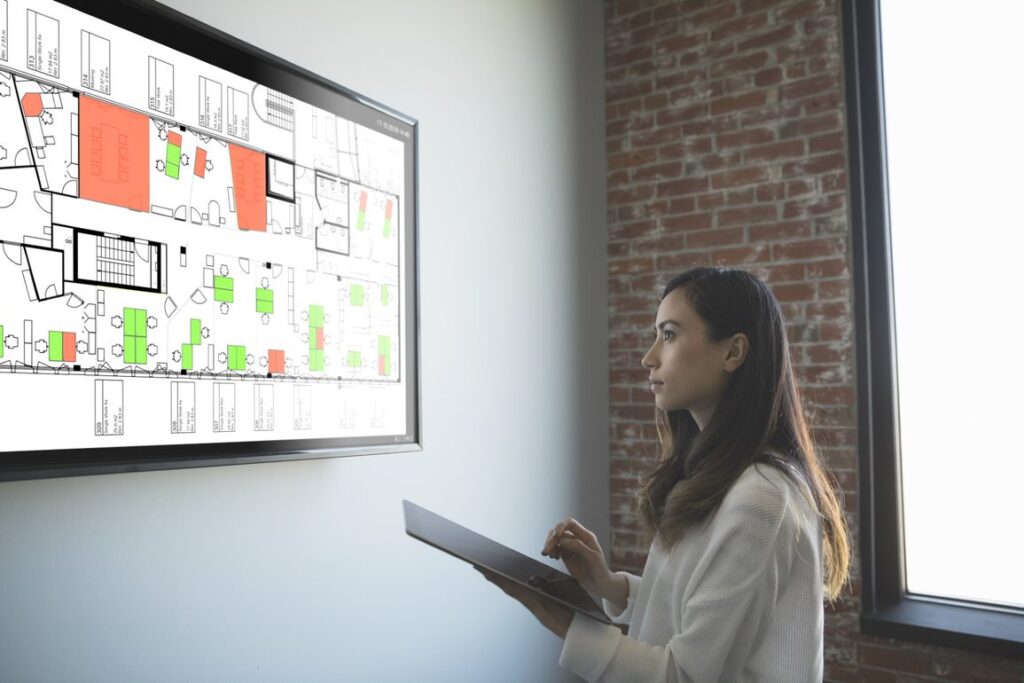
ROOMZ floor plans show the real-time availability of every workspace. |
Integration instead of fragmented systems
A workplace management platform should integrate into existing workflows rather than introduce an additional layer of complexity. ROOMZ connects with established booking environments, including Microsoft 365 / Exchange and Google Workspace. myROOMZ also supports Single Sign-On (SSO), helping reduce the need for separate credentials.
For organizations using Microsoft environments, the configuration of room resources is an important consideration. The Microsoft documentation on room and desk booking explains how rooms can be set up as bookable resources with dedicated calendars, with bookings managed through Outlook, Teams or Microsoft Places.
Data privacy and IT operations for workplace management software
Workplace management raises important questions: What data is collected? Can individuals be identified? Who can access occupancy reports? These questions should be addressed before launching a pilot.
ROOMZ occupancy sensors use passive infrared (PIR) technology to detect movement and provide anonymous occupancy data.
The deployment model also matters. ROOMZ can be deployed in the cloud or on a company’s own IT infrastructure. When selecting workplace management software, organizations should therefore assess not only features but also security, user roles, SSO, data flows, update processes and internal data privacy requirements.
How to choose the right workplace management software
Choosing workplace management software should start with the operational challenges an organization needs to address, rather than the number of features a platform offers.
The right choice depends on the intended use cases, the existing IT environment and the level of visibility required into actual workspace utilization:
- Define your use case first: are you primarily looking for desk sharing, meeting room management, actual occupancy data, space optimization, or a combination of these?
- Separate bookings from actual usage: are reservation data sufficient, or do you need sensors to measure real occupancy?
- Check integrations: consider calendars, Microsoft 365, Google Workspace, SSO and existing booking systems.
- Assess deployment requirements: cabling, mounting, configuration and future expansion all affect implementation time and cost.
- Connect analytics to business decisions: dashboards should answer specific questions, such as which zones are too large, too small or inadequately equipped.
- Address data privacy early: define the purpose of data collection, data minimization requirements, access roles and internal communication before the pilot.
- Start with a pilot: a clearly defined area can provide actionable insights more quickly than an immediate company-wide rollout.
Why choose ROOMZ as your workplace management platform?
ROOMZ combines software and physical workplace technology in a scalable ecosystem. Organizations can start with a specific use case and expand their setup over time, adding workspaces, sensors, displays or analytics as their needs evolve.
Designed for workplace environments, ROOMZ Displays and sensors operate wirelessly and connect via Wi-Fi.
Explore our customer projects⟶
Try workplace management software with ROOMZ
If you want to organize hybrid workspaces more effectively and understand how your office space is actually used, start with a clearly defined use case. Select a pilot area, establish target KPIs, and combine booking data with actual occupancy measurements.
A pilot helps establish which features address your operational needs and which improvements can be measured before expanding deployment.
Let us explore how ROOMZ can fit your workspaces and existing booking system.
Workplace management software comparison: ROOMZ vs. other solutions
Workplace management platforms and systems differ in their focus. Some providers offer broad software suites covering bookings, visitors, parking, workplace services and real estate processes. Others focus primarily on making it easy to reserve workspaces.
ROOMZ takes a different approach. We connect digital booking processes with the physical office, measuring not only reservations but also actual workspace usage.
The following comparison is based on publicly documented vendor features and was reviewed on August 25, 2026. It does not attempt to identify one universally best provider, but rather to show which solutions are particularly suited to different requirements.
| Solution | Key strengths | How it compares with ROOMZ |
|---|---|---|
| ROOMZ | Desk and room booking, digital floor plans, proprietary wireless e-ink© displays, dedicated occupancy sensors for rooms, desks and huddle spaces, real-time occupancy and Space Analytics. | Particularly well suited to organizations that want to combine booking data and actual occupancy in one focused workplace management ecosystem. ROOMZ Displays typically offer around four years of battery life, while sensors typically last four to five years without requiring cabling. |
| deskbird | Broad employee experience platform with desk and room booking, parking, visitor management, ticketing, signage, numerous HR and collaboration integrations, and Workplace Intelligence. | A strong choice when the goal is to consolidate a wide range of employee experience processes in one application. For presence detection and automatic check-ins, deskbird uses methods that include software, network and monitor detection. ROOMZ focuses more specifically on dedicated physical sensors and anonymous occupancy measurement. |
| Skedda | Flexible booking rules, desk and room booking, interactive floor plans, visitor management, numerous integrations, and Wi-Fi-based presence and utilization data. | Particularly strong as a software-first booking and scheduling platform. ROOMZ offers an advantage when organizations need to measure the physical occupancy of specific desks, rooms and non-bookable huddle spaces using dedicated sensors. |
| YAROOMS | Broad workplace suite with desk and room booking, hybrid work scheduling, visitor management, parking, services, digital signage and the Yarvis AI assistant. | A strong option when visitor management, service bookings or AI-assisted workflows are central requirements. YAROOMS takes a hardware-agnostic approach to signage and works with hardware partners. ROOMZ differentiates itself through its own integrated sensor and booking display ecosystem. |
| OfficeSpace | Comprehensive space and real estate planning, desk and room booking, facility requests, moves, asset management, Workplace Intelligence and portfolio optimization. | Particularly suited to organizations that need a broad real estate and facility management system. OfficeSpace can integrate data from various sensor, badge and Wi-Fi sources. ROOMZ offers a more focused approach when the priority is booking, actual occupancy and optimizing existing workspaces without an extensive platform rollout. |
| Humly | Proprietary hardware ecosystem for room and desk booking, visitor management, navigation, analytics and sensors. Particularly comparable to ROOMZ in its combination of software and hardware. | Humly offers a broad range of workplace management features and dedicated hardware. For retrofitting existing offices, ROOMZ has a practical advantage: its displays and occupancy sensors are battery-powered and wireless, whereas Humly Room Displays require Power over Ethernet (PoE) or a power adapter. |
Where other workplace tools offer broader functionality
A fair comparison should also acknowledge where ROOMZ does not aim to offer the broadest feature set. If you want to manage visitor access, facility management tickets or hospitality services, make sure to assess which capabilities best match your workplace management requirements. AI-first workflows are also more prominent in the offerings of providers such as YAROOMS and deskbird.
However, broader functionality is not automatically an advantage. The more processes a workplace platform covers, the more important implementation effort, data models, governance and user adoption become.
If your main objective is to make workspaces more useful and understand actual occupancy, a more focused architecture may be the better fit.
Why ROOMZ is a strong choice for sensor-based workplace management
For organizations looking to connect existing booking processes with reliable data from the physical office, ROOMZ offers a focused combination of workspace booking, dedicated occupancy sensors and analytics.
Its value lies in bringing these elements together in one ecosystem, helping organizations compare planned and actual usage while retaining their existing booking environments.
1. We measure actual occupancy, not just bookings
Reservations indicate intent. Our occupancy sensors also detect whether a room, desk or huddle space is actually being used. Passive infrared (PIR) technology provides anonymous occupancy data, helping bridge the gap between calendar information and reality. This makes no-shows, spontaneous use and genuine occupancy patterns visible.
2. We develop and manufacture our own occupancy sensors
ROOMZ designs and manufactures its own occupancy sensors for meeting rooms, shared desks and acoustic booths. This means you have a single point of contact if any issues arise, simplifying support processes and allowing you to manage all your workspaces with one manufacturer.
3. We complement existing booking systems instead of replacing them
ROOMZ can connect to existing booking environments, including Microsoft 365, Exchange and Google Workspace. This is particularly relevant when calendar and collaboration processes are already established and the priority is to improve the physical workplace experience and visibility.
4. Our hardware is designed for retrofits and fast pilots
ROOMZ Displays require no cabling and typically offer around four years of battery life. Our sensors are also wireless and typically last four to five years. This makes it possible to equip existing offices without installing new power or network lines at every room. Compared with wired room displays, this offers a practical advantage during deployment.
5. Software, displays, sensors and analytics work together as one connected system
Employees find and book workspaces, displays show availability on-site, sensors measure actual usage, and Space Analytics combines booking and sensor data. This creates a continuous process of planning, using, measuring and optimizing workspaces rather than a collection of disconnected workplace tools.
6. Data privacy and IT operations are part of the product design
Our occupancy sensors operate anonymously. ROOMZ also documents ISO 27001 certification, GDPR compliance and encrypted communications. These measures do not replace an organization’s internal data privacy assessment, but they provide a solid technical foundation for workplace and IT teams.
The key question is not: which platform has the most features?
A better question is: which solution provides the most reliable data for your specific workplace with the least unnecessary implementation effort?
If you need a comprehensive suite for visitors, ticketing and facility management processes, a broader provider may be the right choice.
If you want to organize meeting rooms, shared desks and acoustic booths efficiently, measure actual occupancy anonymously, and keep your existing calendar and booking systems, ROOMZ offers a strong combination of software, physical workplace technology and analytics.
Organizations that want to test ROOMZ in their own office first can start with a single room and then expand the solution step by step. A pilot project can be requested on the try ROOMZ page. For questions about a larger rollout, our team is available for a personal meeting.
Author & expert review

Nadia Obeida
Marketing Manager at ROOMZ
Author
Nadia translated the requirements of IT, facility and workplace teams into a practical decision-making resource and defined the SEO and GEO structure of this article.

Roger Meier
Founder and CEO of ROOMZ
Co-author & expert review
Roger brings the product and field perspective from ROOMZ workplace projects. He reviewed this article with a focus on technology, integration, scalability and practical relevance.